
2022-2025 / SaaS / Health / Web - Tablet
3x faster
to find and send the right template
67% → 34%
drop in hesitation before sending

My Role
Senior Product Designer, Practice Workflows:
Designed quick inbox actions and LLM-assisted messaging, from early concepts through to rollout. Owned UX direction and worked with Product, Engineering, and Machine Learning teams throughout.
The challenge
The inbox and message thread were minimal by design. But as the product grew and customers faced more patient messages, every small interaction and delay was magnified. Workflows became inefficient and frustrating.
My goal was to find these moments and to join the dots, making repetitive workflows smoother and, in some cases, eliminating portions of them entirely to lay the foundation for a more powerful workspace.
Refining the problem
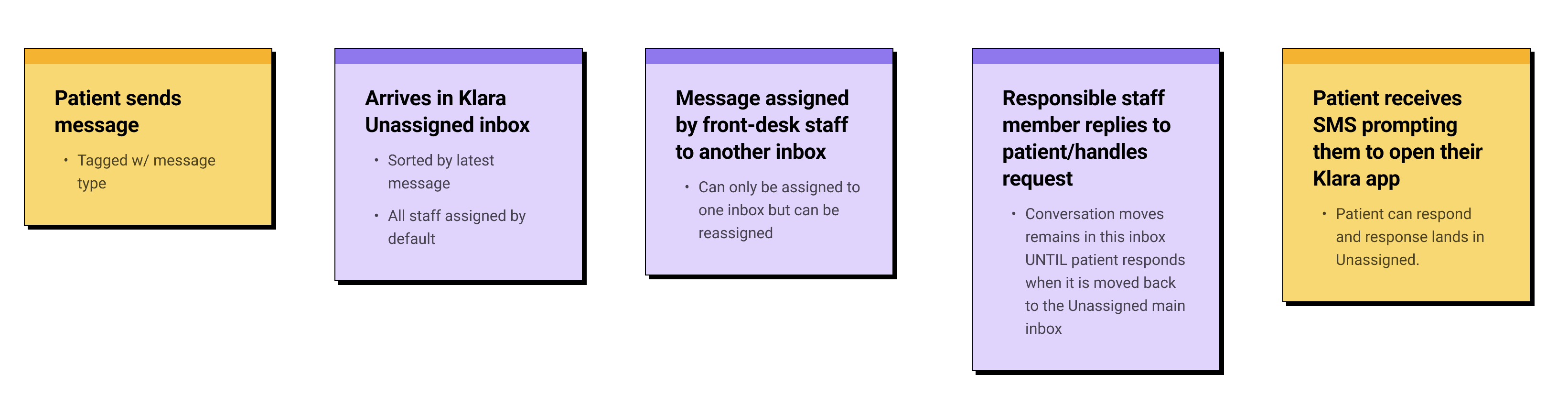
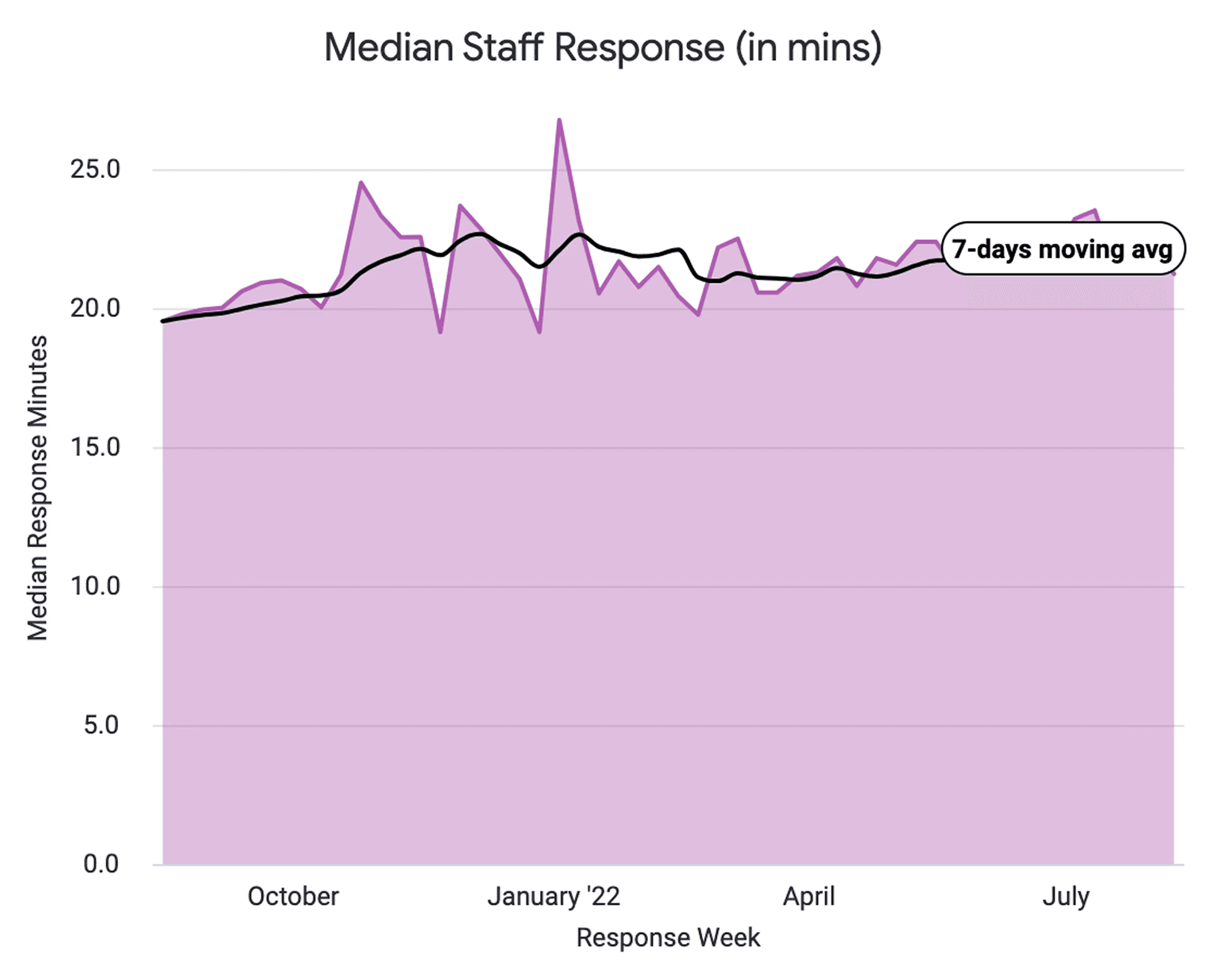
We trawled the data we had on staff work flows from our Looker analytics to customer feedback both existing and gathered as part of our primary and secondary research process (customer interviews, surveys, benchmarking) to find the main pain points facing users.
The results varied, but we were able to identify a cluster of related issues falling into two main subsets:
Friction transitioning between inbox and patient thread
Time taken to understand and respond to a patient message
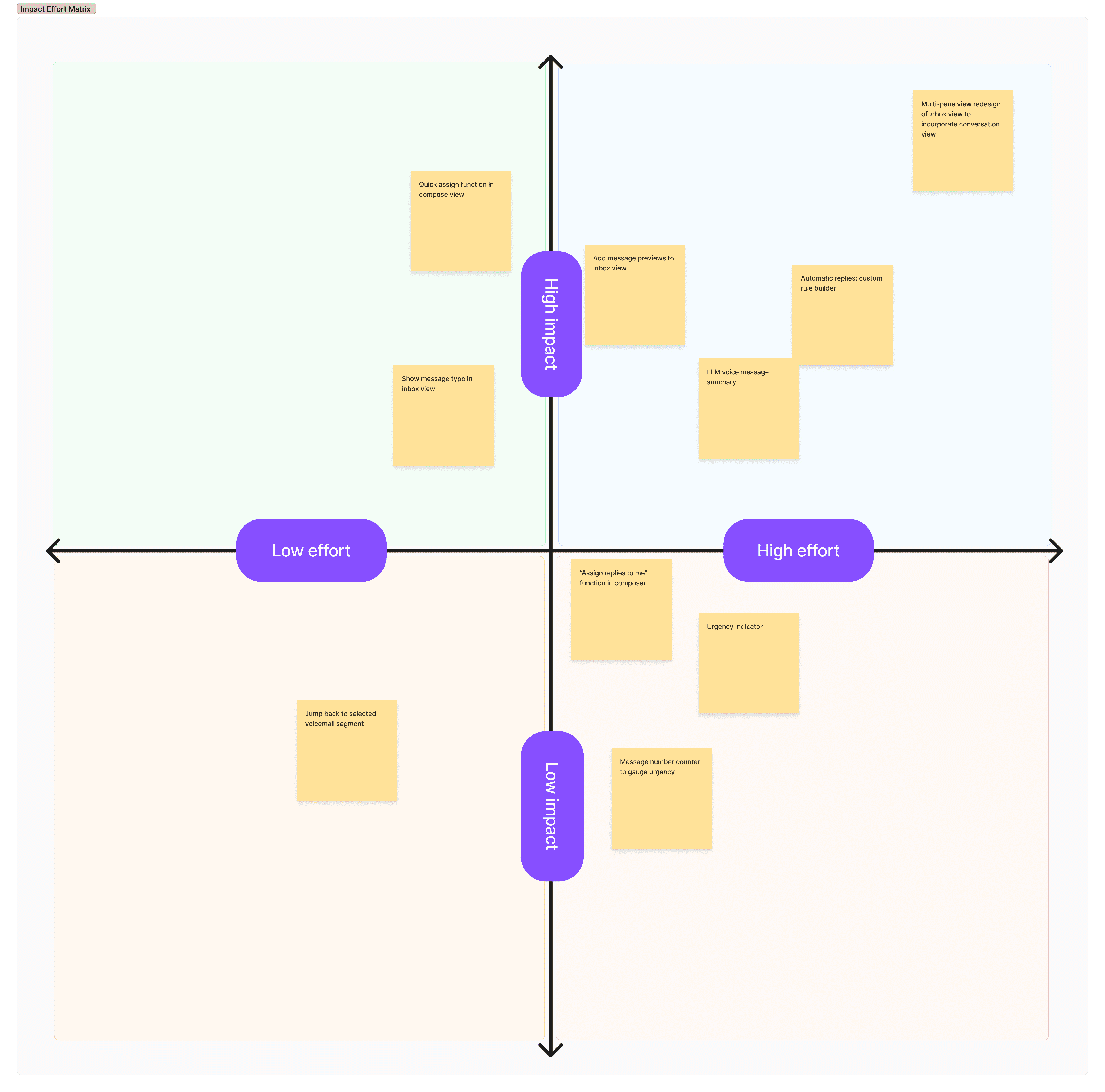
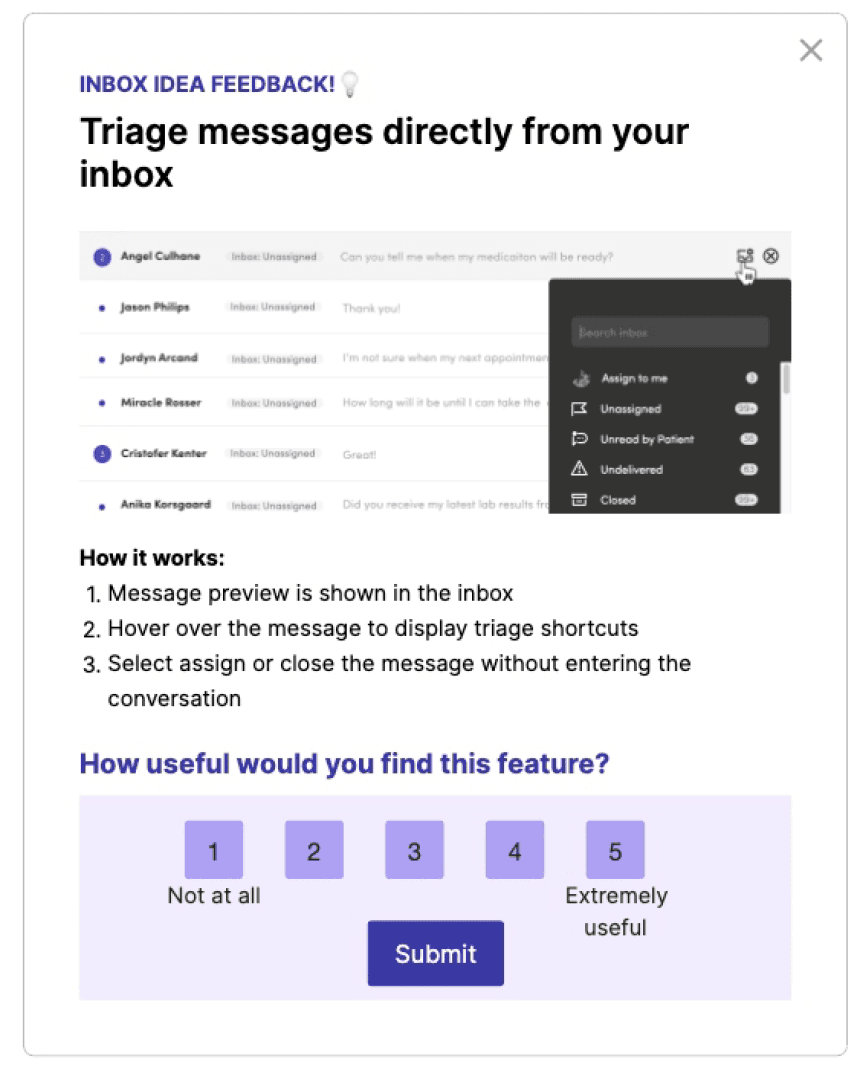
Later, as directions solidified I ran a series of concept validation measures to put early ideas in front of customers that gauged appetite and gathered initial feedback.
What to tackle
1
Process of needing to open a message thread to perform any action was slow and out of date vs analogous apps
2
Some workflows in the thread were cumbersome and strong candidates for the emerging AI layer we were experimenting with
Speedier triage
one interaction at a time
As customer needs grew, the simple inbox became limiting. Staff needed faster ways to act on messages.
Problem
Even simple actions meant opening every message. Staff had to click into each thread to assign, archive or reply, even when the preview told them what to do. With hundreds of messages a day, those extra clicks added up fast.
Hypothesis
If the most common actions sat directly in the inbox list, staff could clear routine messages without opening them. Opening a thread would become a signal that something needed attention, not a step every message demanded.

New inbox
Old inbox
What this unlocked
Better context + Actions upfront
Faster, accurate message triage
Solution 2
Utilising AI
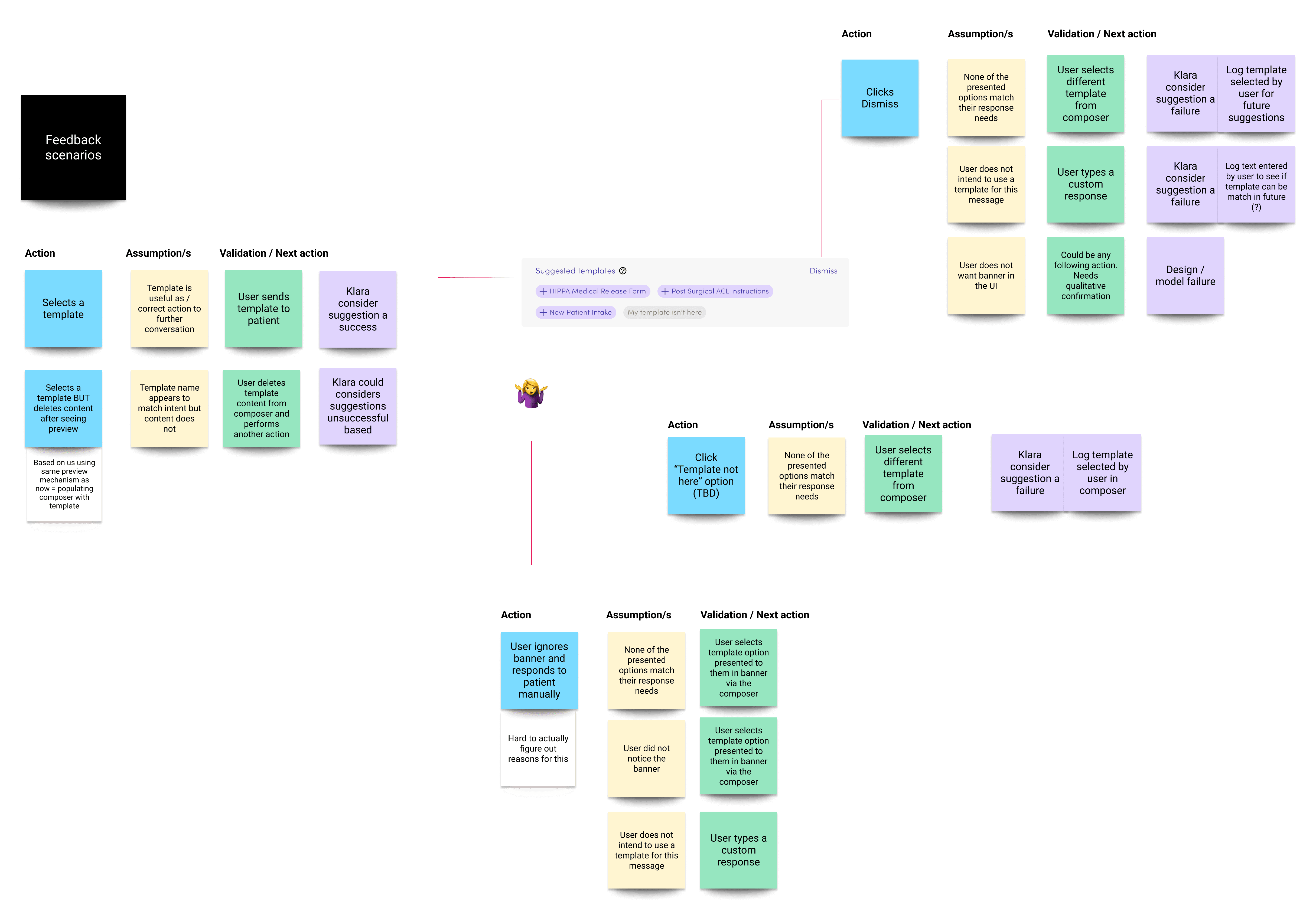
Practices had built up large template libraries, but finding the right one was slow. Staff scrolled or searched by name, then edited the text to fit the patient. Many skipped templates altogether and typed replies from scratch.
If the inbox suggested the most relevant template based on the message, staff would use templates more and write from scratch less. Keeping suggestions editable would let them send with confidence while still making the final call.
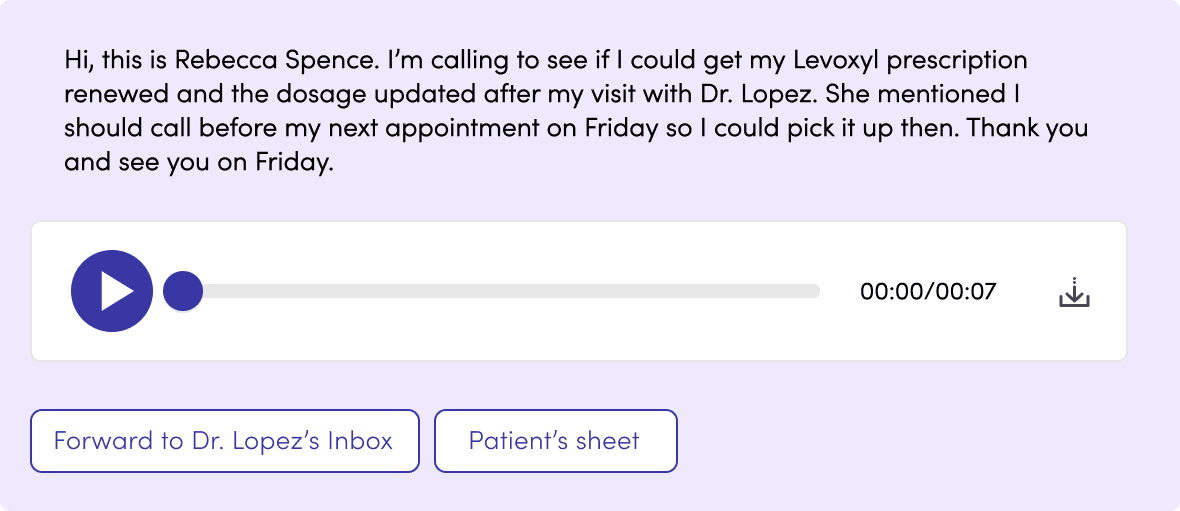
Voicemails had to be listened to in full, often more than once. Staff noted names, dates of birth and requests by hand, then decided what to do next. A short message could take several minutes to process.
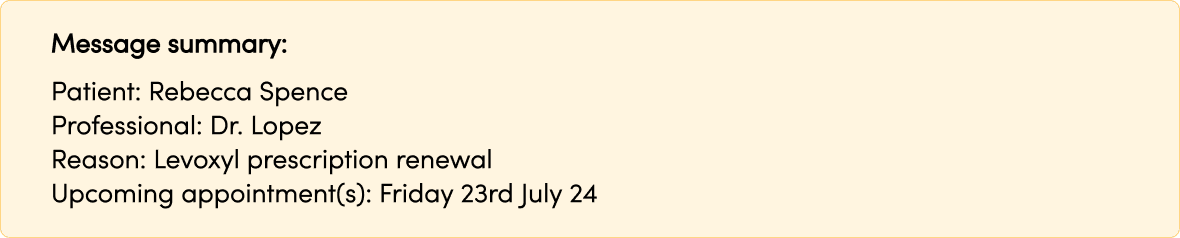
If voicemails arrived as text with key details and suggested actions pulled out, staff could handle them like any other message. They would scan instead of listen, and only replay the audio when something was unclear.
Response template
suggestion

Existing interaction
Template selection required digesting the patient response then navigating often cluttered and poorly maintained template menu housed in the composer bar.
Staff were losing minutes on every reply, scrolling through templates to find the right one. Now the LLM reads the thread and puts the most relevant templates right where they're typing. They can accept one, tweak it, or bin it and carry on.

Voicemail actions
Klara's voicemail feature let staff play the audio of a patient's call. But listening to audio in a busy clinic caused delays and broke the flow of their text-based work.
We used a custom LLM, trained on third-party medical data and our own growing data set, to transcribe voicemails accurately. That solved the foundational issues and opened up new features.
Jumping into the message
Staff told us they replayed messages again and again to catch names, dates, and medications. Transcriptions broke audio into clickable words, opening up new features.
Transcription sped up info processing, but staff still needed more trust. We let them hover or click a word to instantly jump to that spot in the audio in order to double check that detail.
What came next
The next step was layering meaning on top of the transcript: keywords, a short summary and quick links to relevant actions, so staff could act without pressing play. This was planned for later iterations, once the first use cases were proven.

Outcomes
Quick actions and AI template suggestions both rolled out across Klara's customers, and front desk staff picked them up fast.
94%
adopted quick actions in 30 days
Triage without opening the message
3x faster
to find and send the right template
78% of staff adopted AI suggestions
67% → 34%
drop in hesitation before sending
Staff replied with more confidence
