

The Setup
Digging Deeper
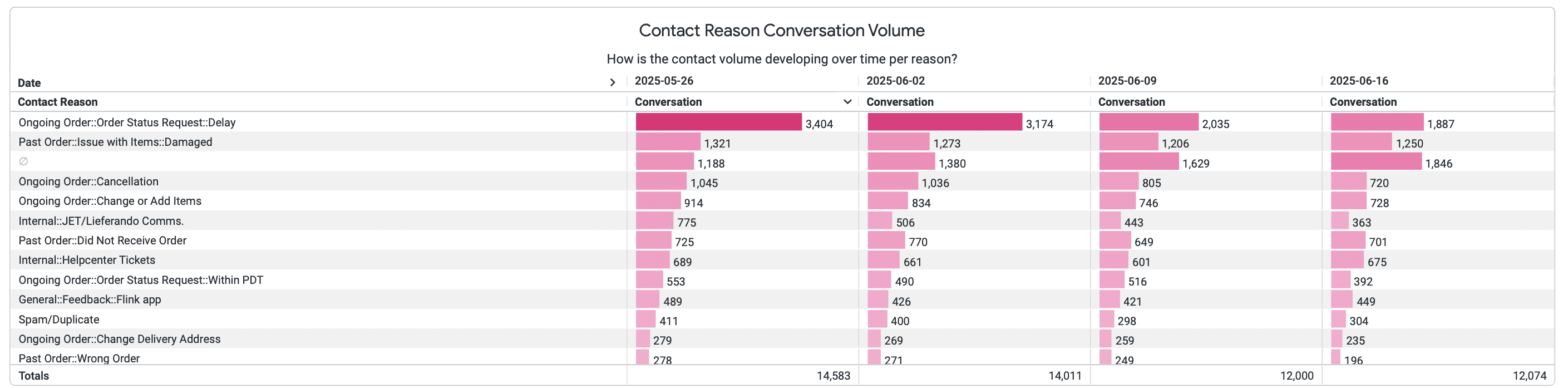
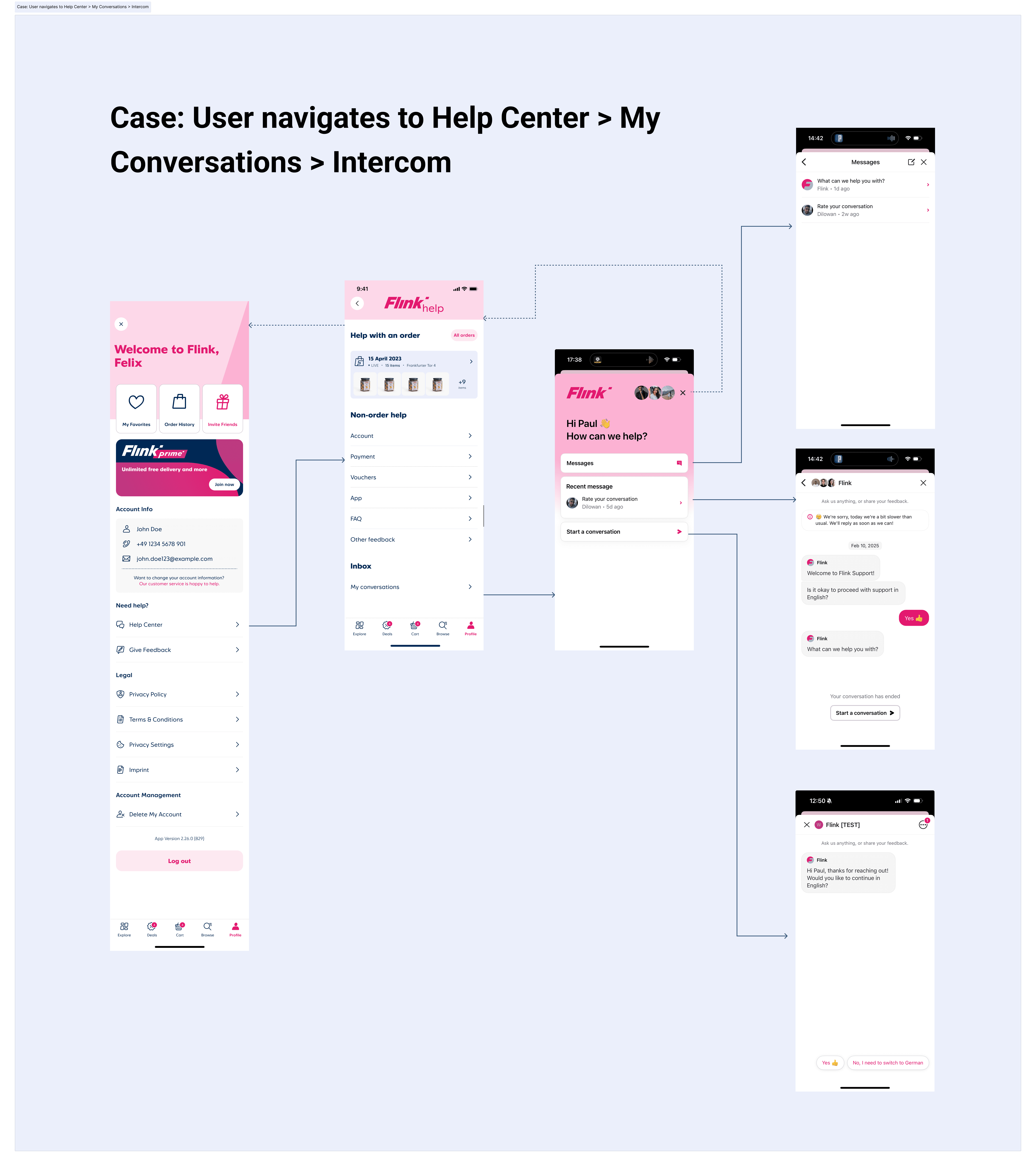
I audited the existing help centre — mapping every entry point, flow, and drop-off across the app — and cross-referenced it with support ticket data from Customer Operations to connect failure points to specific UX problems.
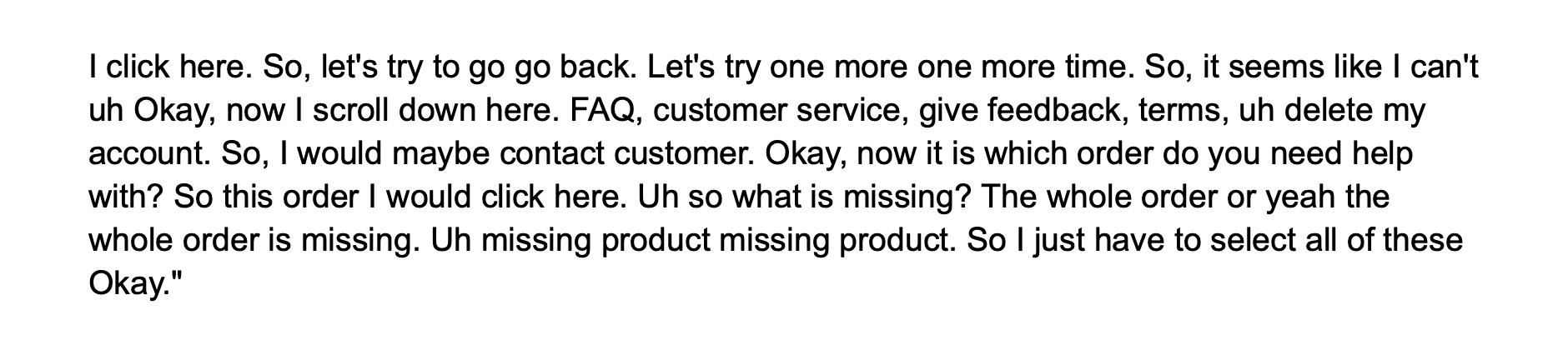
I ran remote baseline usability tests paired with in-person sessions with colleagues using Lyssna across both the Help Centre flow and the Issues with Items flow to pressure-test what the audit was showing and get something measurable to work from.
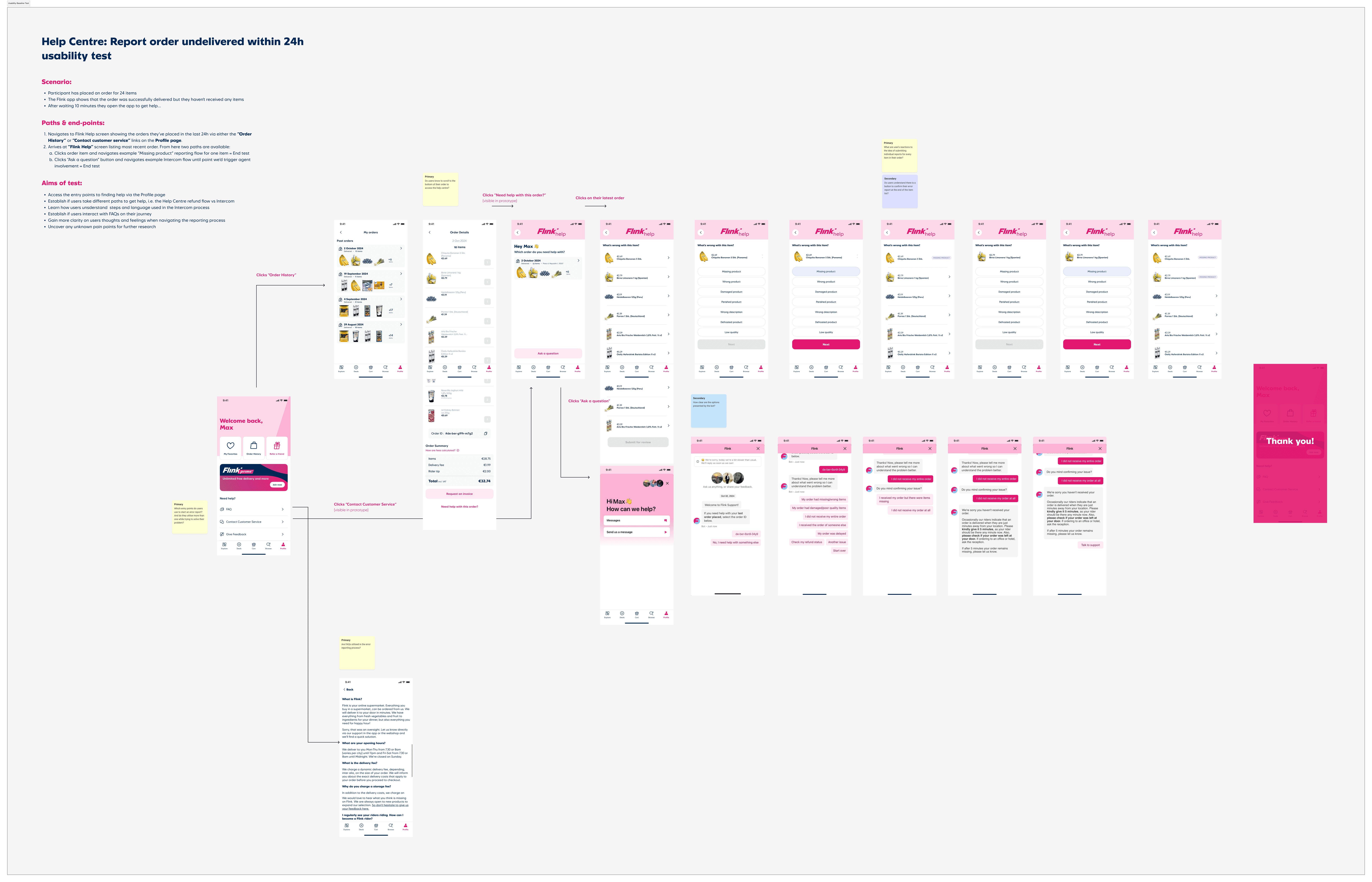



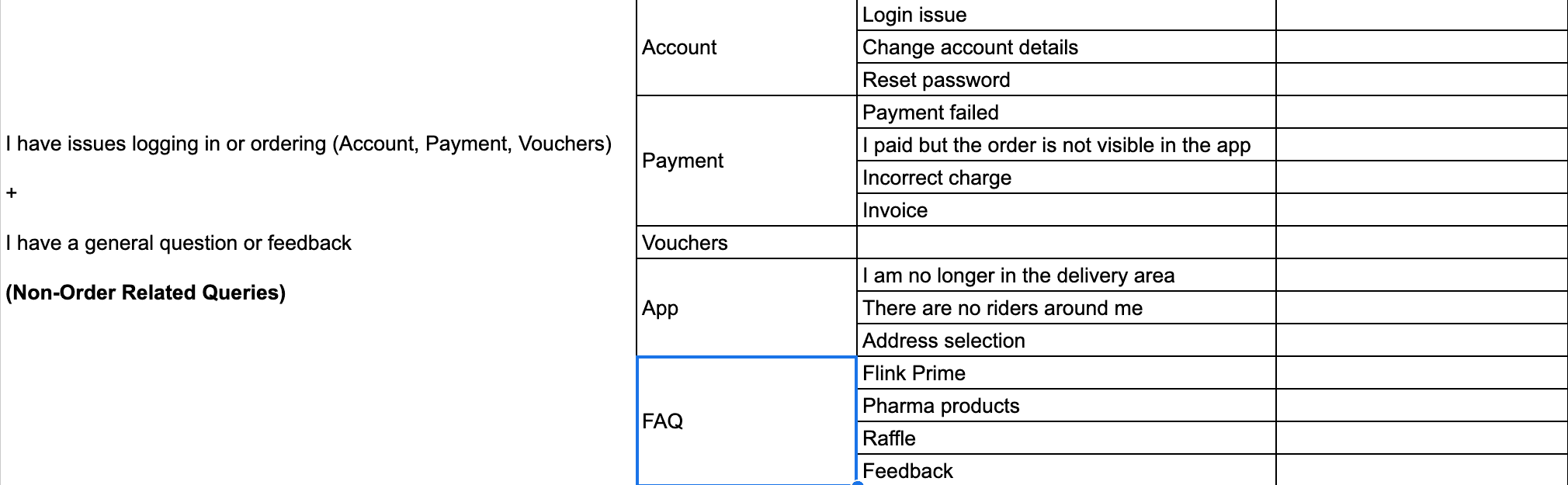
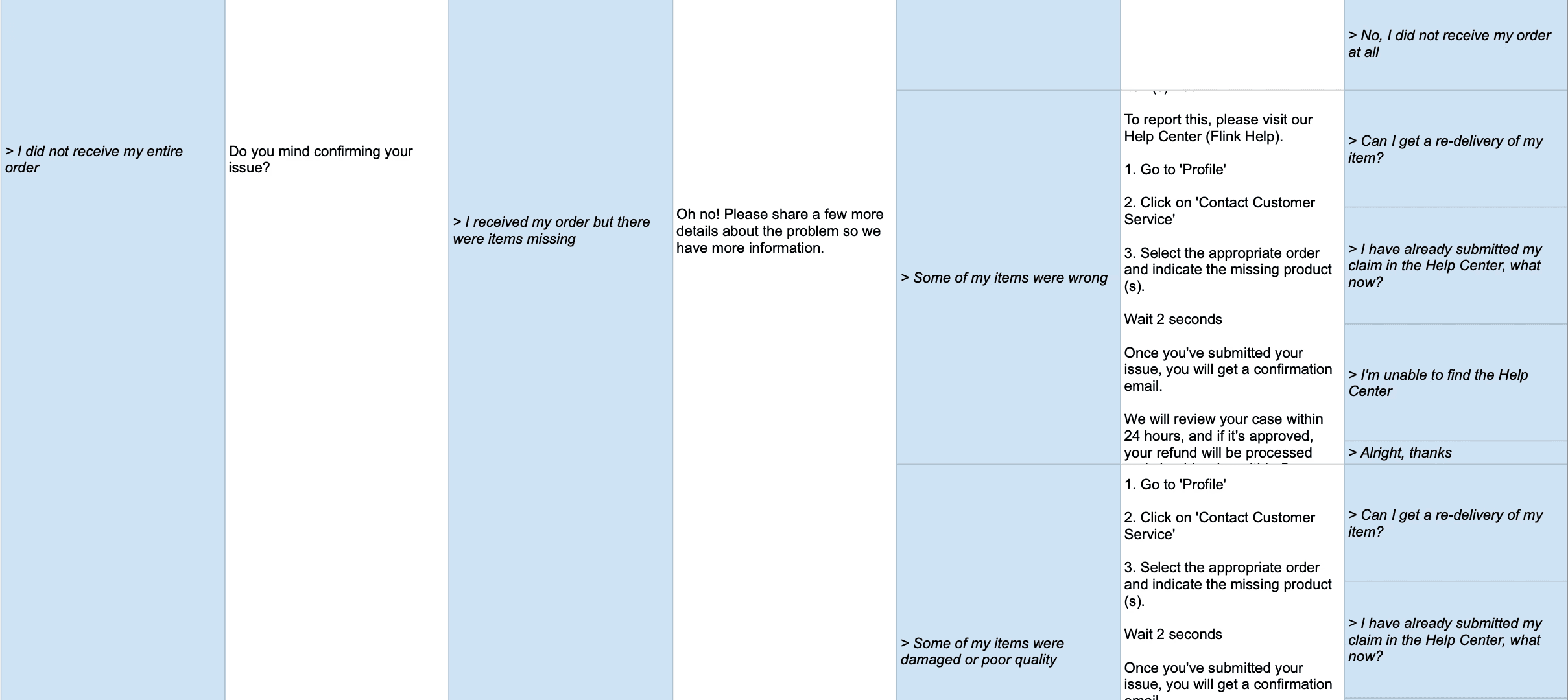
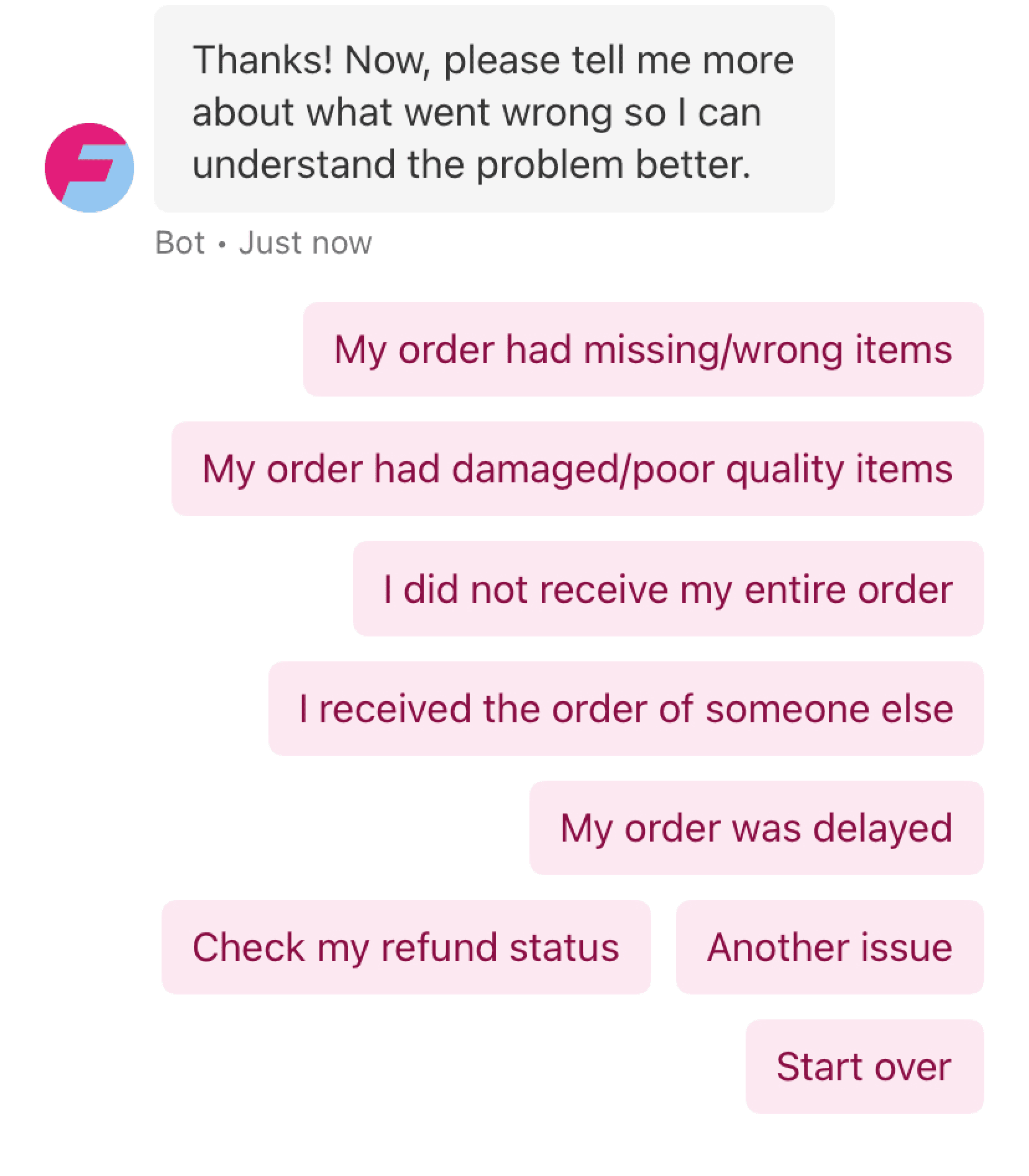
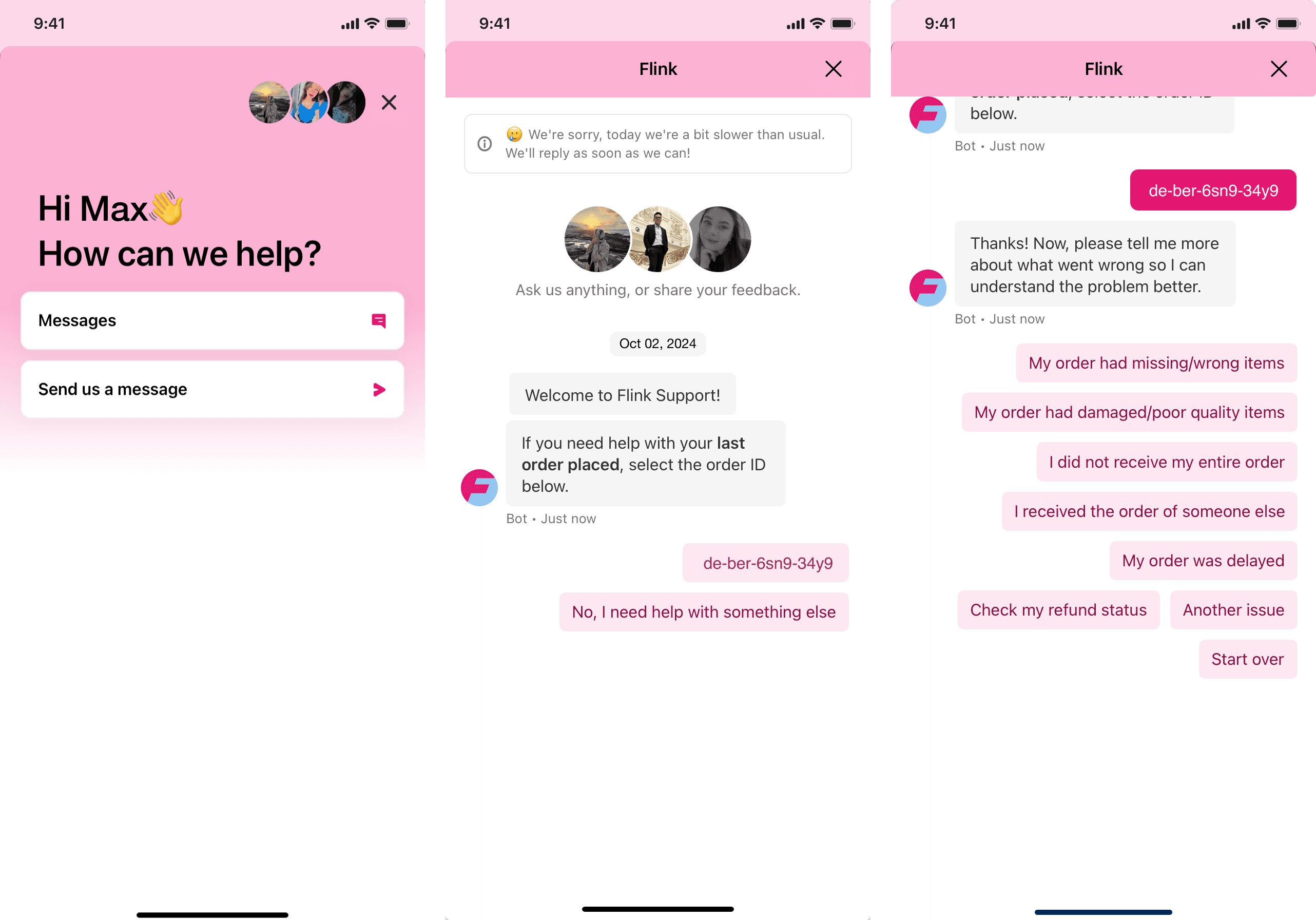
I also mapped the full Intercom support paths to understand where the handoff between the app and support tooling was breaking down.
The language across the topic list and decision tree didn't match how customers described their problems — a lot of unnecessary agent contacts were happening because people couldn't find the right paths.
Outcome Snapshot
We confirmed some working hypotheses, discarded others, and unearthed insights on where customers were struggling. Combined with qualitative follow-ups, we identified the shape and priorities of the work ahead.
Our Focus
Find help quickly without leaving the app
Know that an issue report has actually been submitted
Resolve common problems — missing items, late orders, refunds — without contacting support
Understand what actions are available at each stage
(Future) Manage orders and issues proactively before needing to reach out
Help centre buried in account settings — not where customers looked
Category language reflected internal ops logic, not customer intent
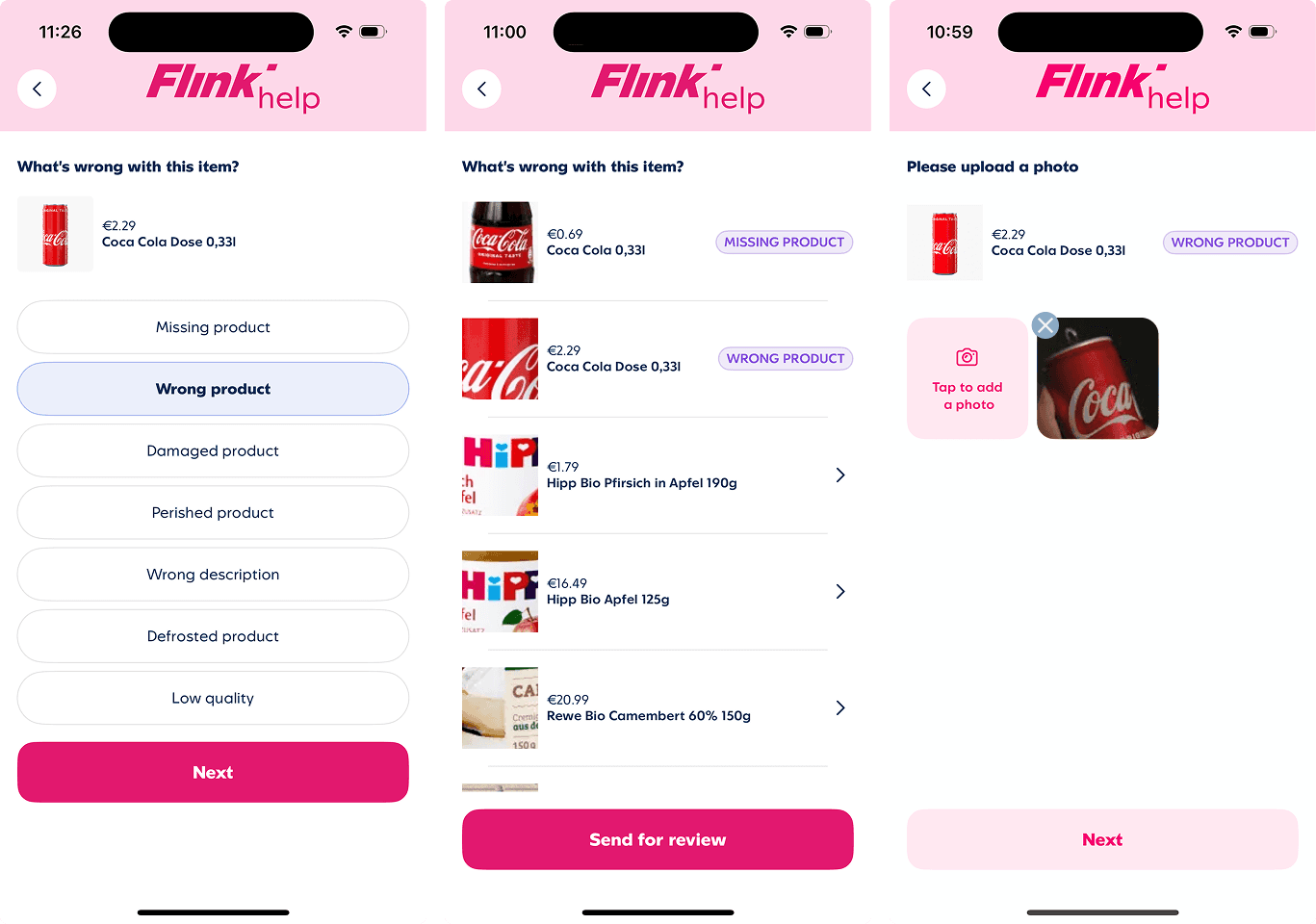
Item reporting flow had an unclear submission model — customers didn't know when they'd actually filed a report
No in-app confirmation or status after submission
No duplicate prevention — same issues resubmitted multiple times
Intercom bot language and in-app experience were misaligned
Developing Ideas
Once we had processed the research findings and aligned on the problems to solve we could begin the process of solving.
Added a structured FAQ layer to the help home and a shallow decision tree (max two levels) off the order card — surfacing relevant content before routing to an agent.
Outcome: Customers arrived at Intercom with context already established, reducing repetitive bot questioning and unnecessary escalations.
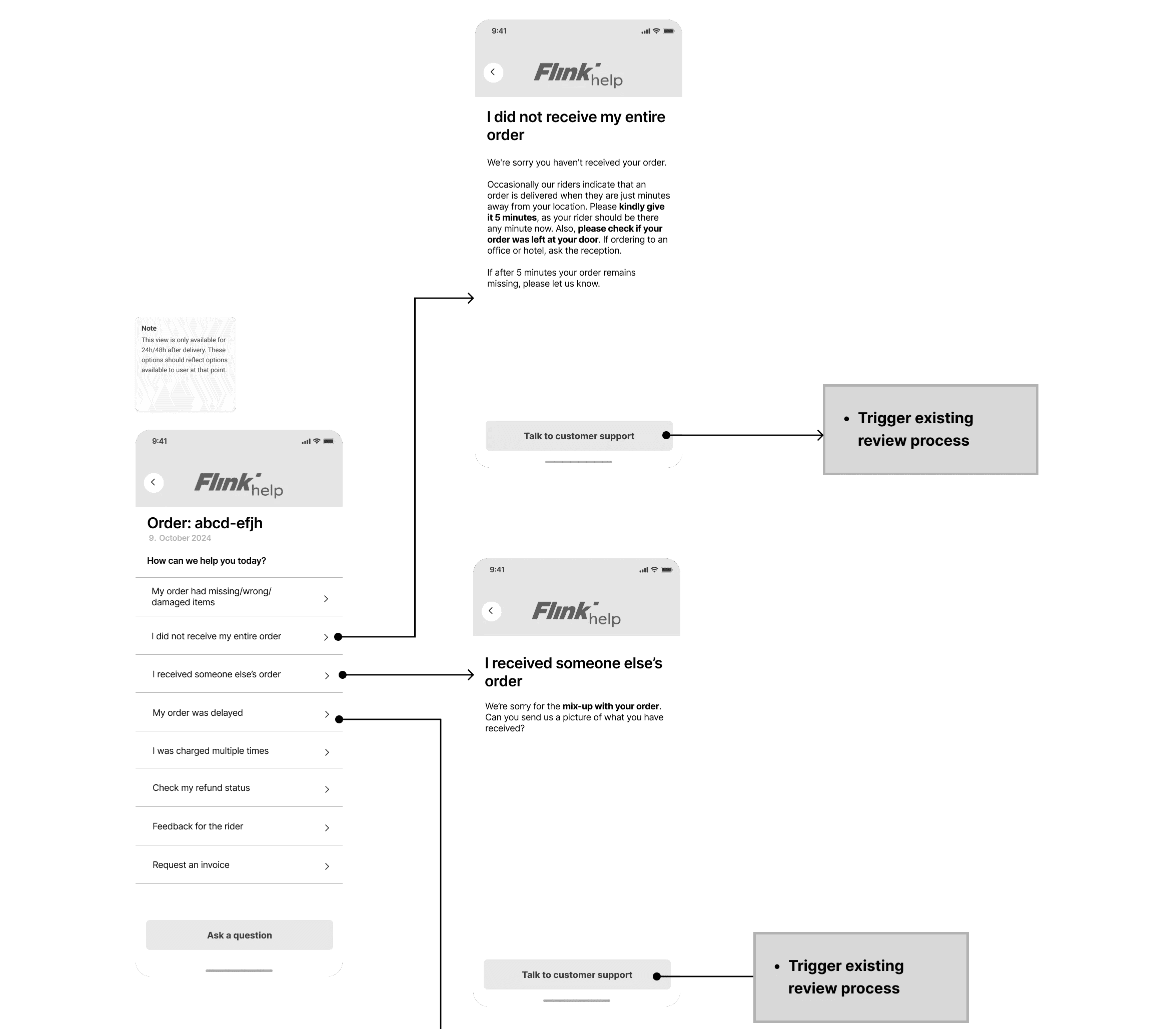
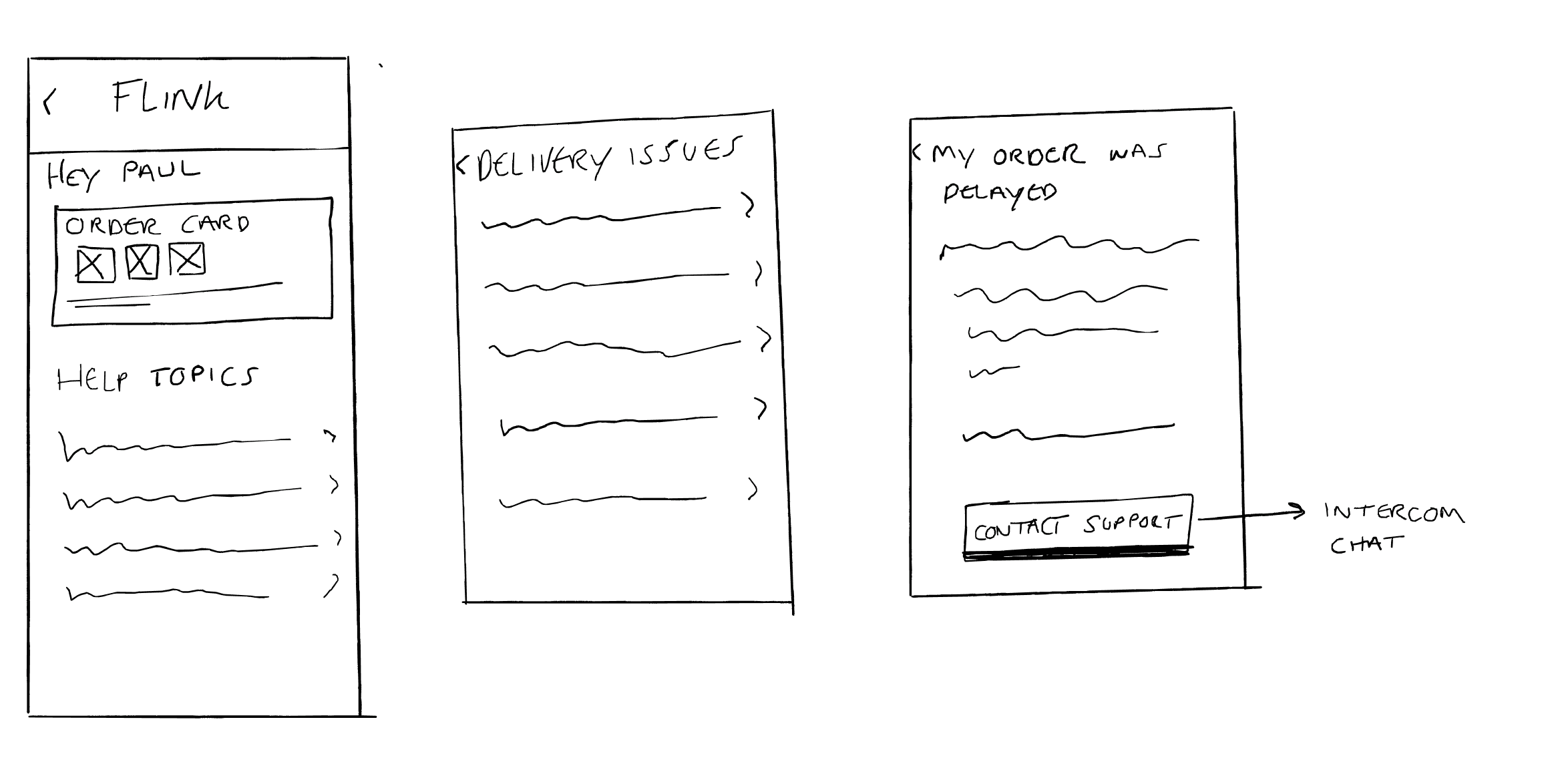
Redesigned the homepage with a clear tree structure organising help into customer-centric categories. Rewrote labels to match how customers describe their problems, and added direct entry points—including quick access to previous support conversations.
Outcome: Fewer steps to reach relevant help. Returning to an ongoing conversation became seamless instead of buried
Explored changes to how order status, refund eligibility, and refund progress were communicated — in-app, via email, and push. Many contacts weren't driven by new problems, just customers not knowing where things stood.
Outcome: Timelier communication via in-app status states and support flow refinements that reduced uncertainty-driven contacts. The next phase — tying these in-app signals to coordinated email comms — became a cross-team initiative beyond the initial help centre scope.
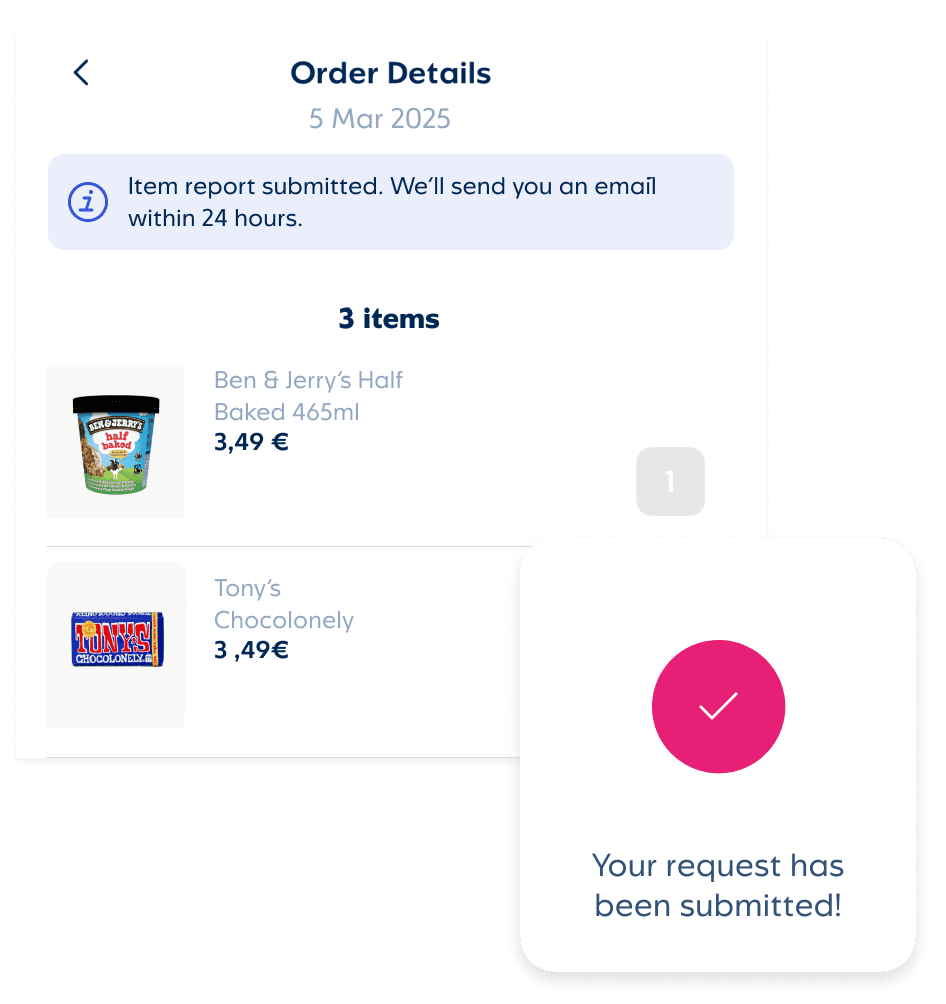
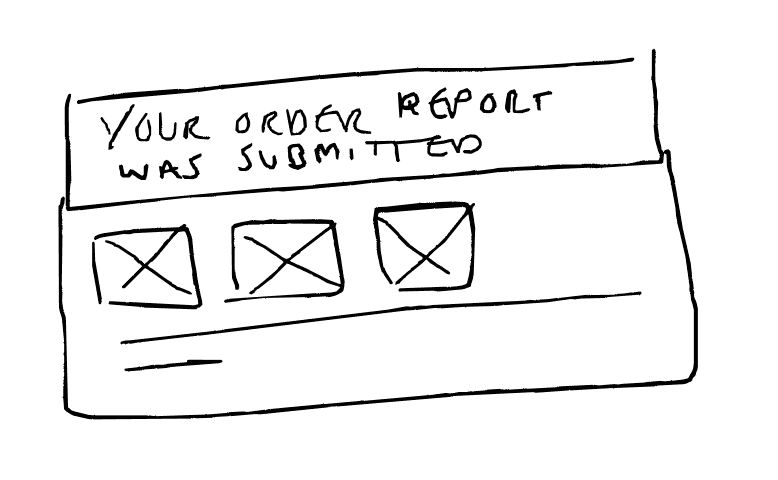
Redesigned the item reporting flow to fix the unclear submission model, add in-app confirmation, and prevent duplicate reports. Built clearer progress states so customers always knew what had been submitted.
Outcome: Closed the main avenues for repeat submissions and removed the need for agents to unpick duplicates manually.
With some exploration done we had a clearer plan for the final work that we'd take forward into production…
Principles & Approach
Three principles shaped every decision:
Start with customers where they are
Help should be surfaced contextually, not hidden behind navigation. If someone's order is late, they shouldn't have to search for support.
Shortest path to resolution
Every flow was optimised to reduce steps. If something can be self-served, the route to that outcome should be obvious and fast.
Language that matches intent
Category names, article titles, and CTA copy were rewritten to reflect how customers actually describe their problems, not internal ops terminology.
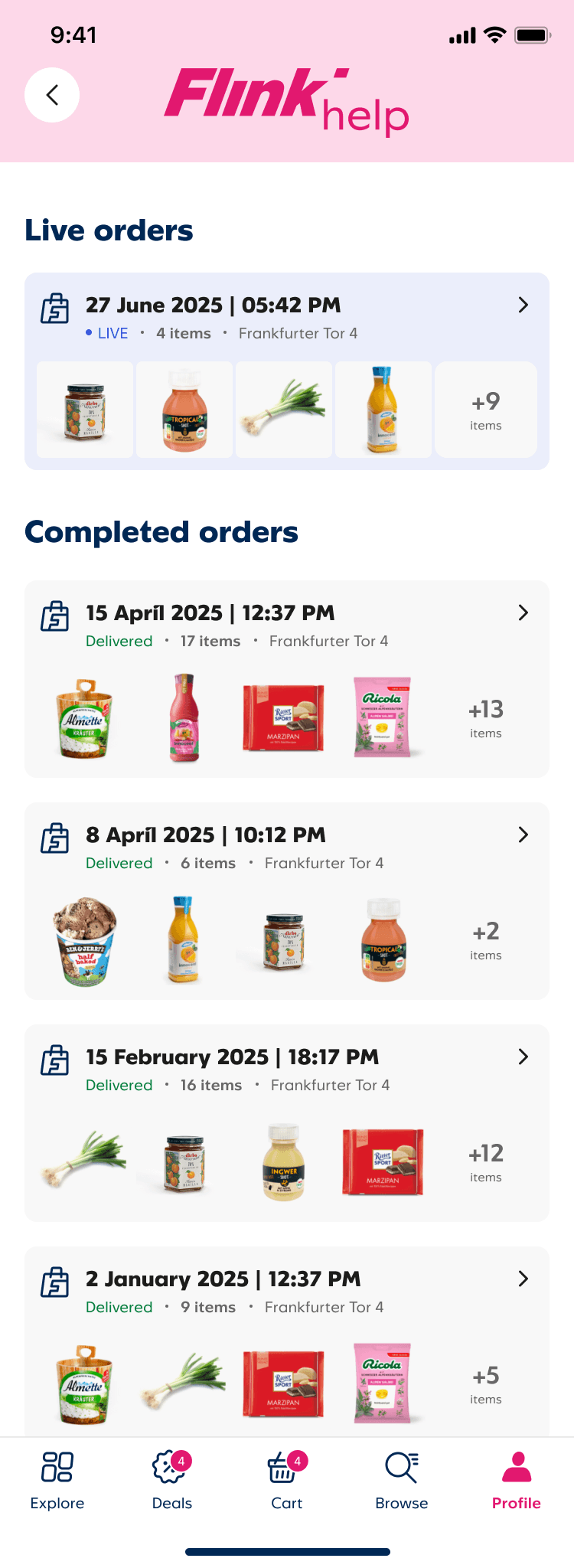
Help Centre Content
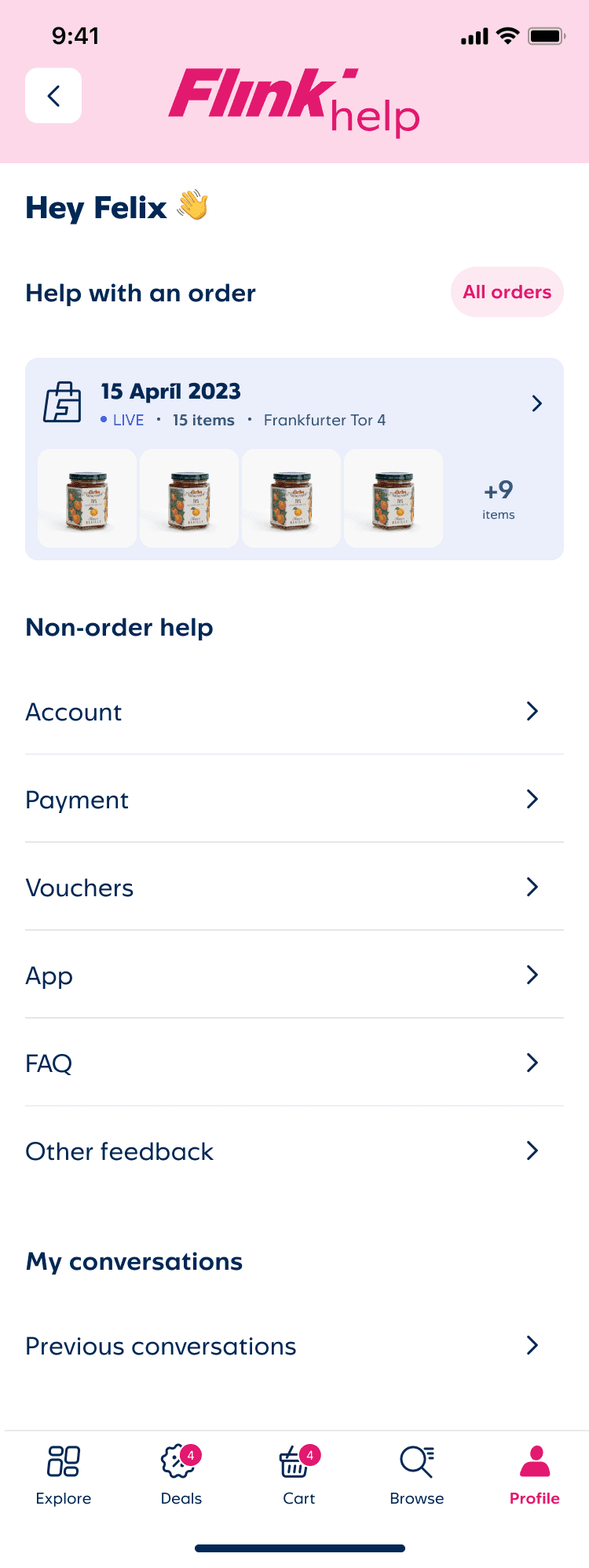
Changes to the first help touchpoint were designed around some key aims:
Match verbiage on the page to the content we show
Improve visibility of the all orders that a customer might require help with
Surface useful content that is either currently only in FAQs or can only be accessed via the Intercom flow
The help categories and any associated information was previously hidden in within the Intercom flow so the tree structure was able to present that to customers.
This aimed to help solve the issues of customers going down dead ends and looping in Intercom as they struggled to find the correct path for their specific issue.
And if the information at the final step wasn't enough then customers could tap the button to speak to an agent and we could apply tags to that message so agents could clearly see what topic the issue was related to.
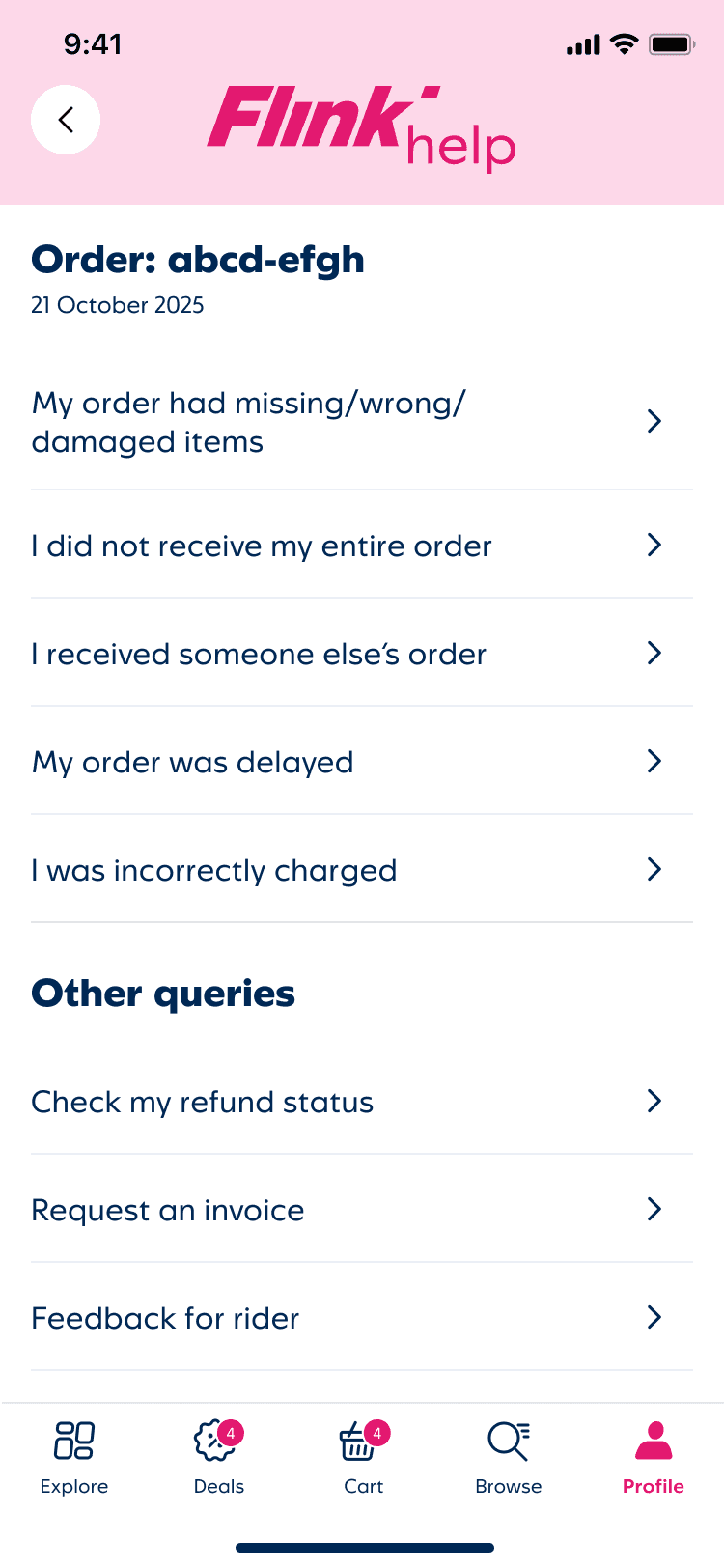
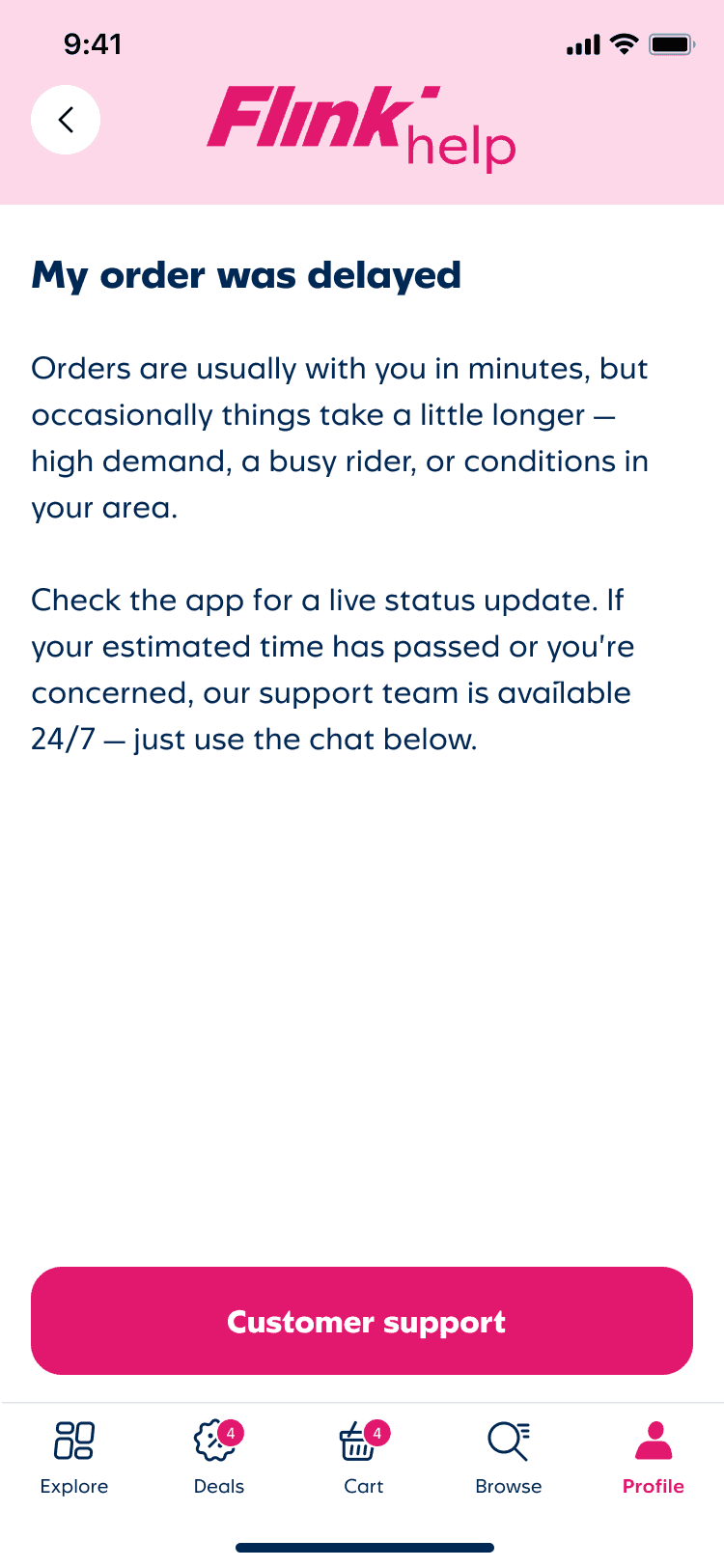
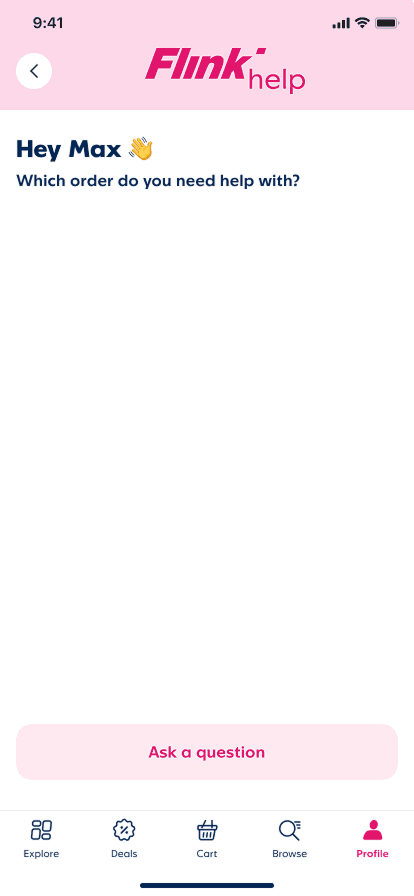
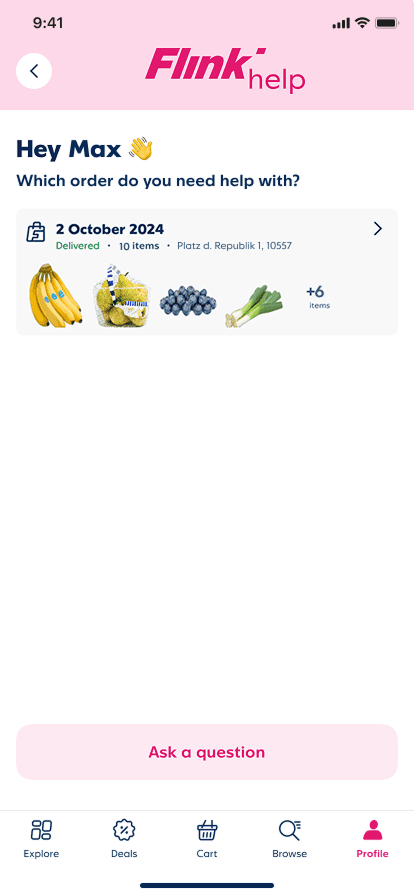
Order number
Customer name
Question Lvl 1
Question Lvl 2
Issues With Items
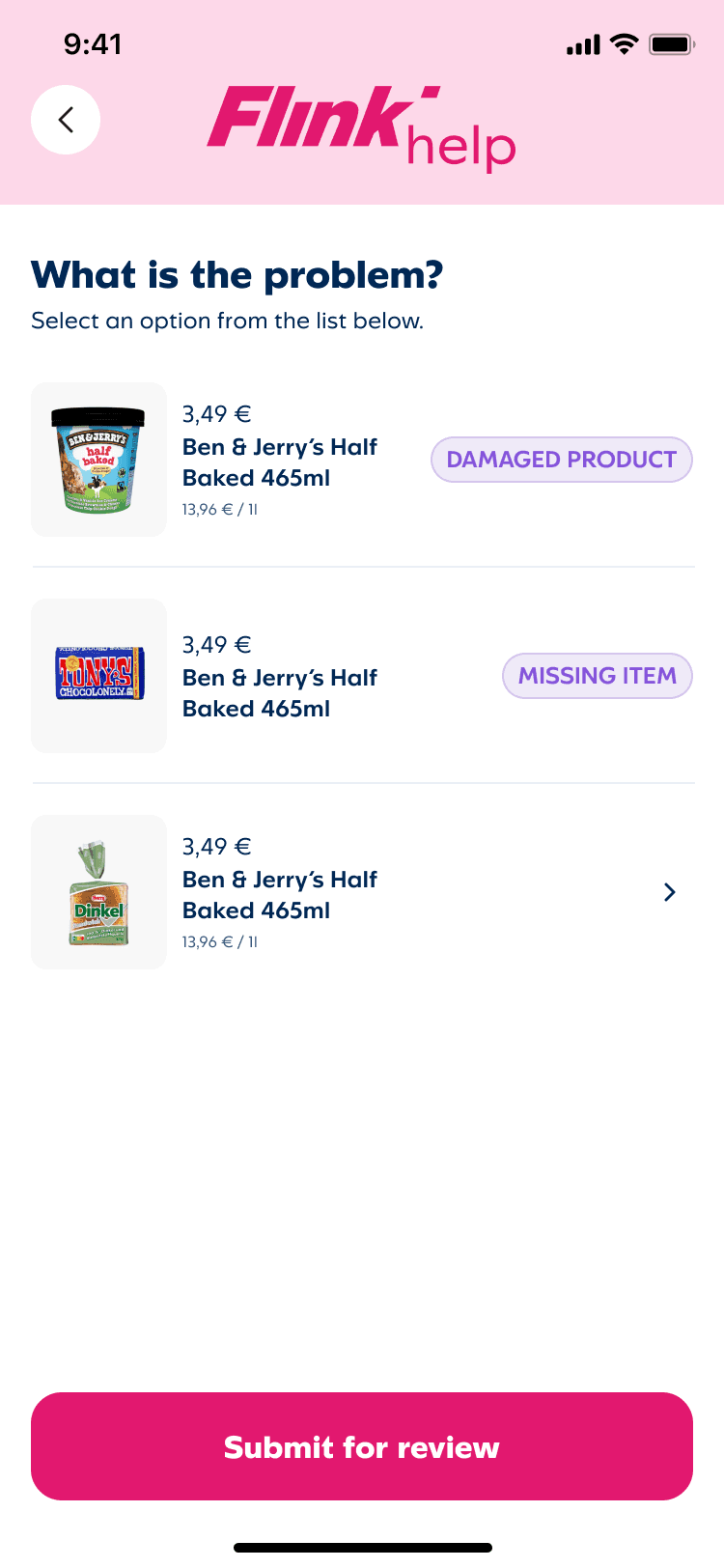
We redesigned the Issues with Items flow to clarify the experience, reduce errors, and prevent duplicate submissions.
Key changes:
Unique wording for each step
Persistent issue tags
Quantity input for multiple instances
Specific CTA naming
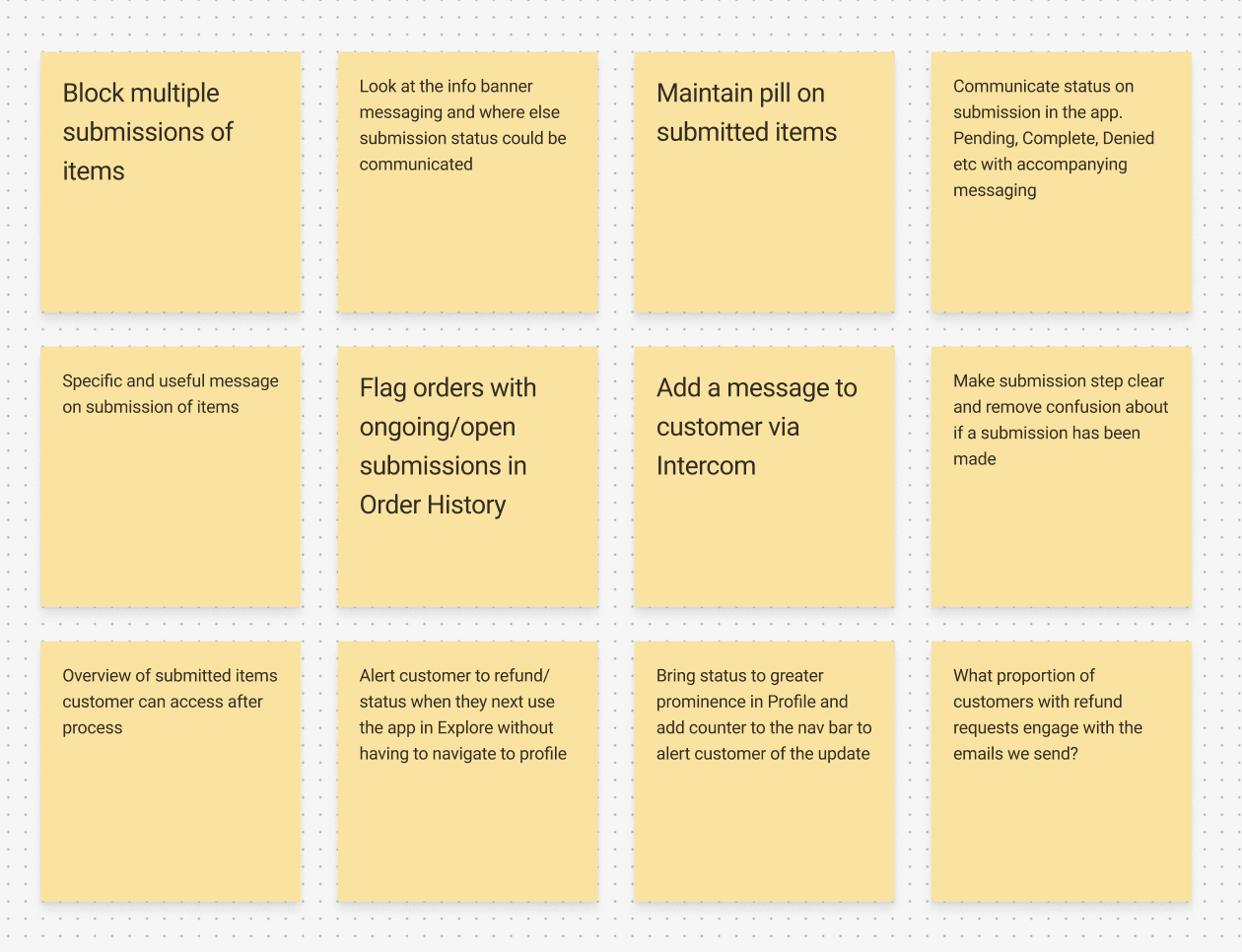
Previously, customers could re-enter the flow and submit the same item multiple times—useful for edge cases (missing and damaged apple) but causing most duplicates. We now block resubmission of identical items. This trades a rare edge case frustration for clearer logic for the majority.
15 April 2023
Delivered
15 items
Frankfurter Tor 4
+9
items
Item report processed. Check your email
for details.
Item report submitted. We’ll send you an email within 24 hours.
Refund successfully processed! Check your email
for details.
Engagement with Flink emails was low, so refund status comms were missed. We added order status states across the app to flag action, communicate updates, and direct customers to email for detailed information.
Outcomes
~16% fewer support contacts
for help centre issues
Help content + redesigned issue flow deflected unnecessary escalations to chat
~18% reduction in repeat inquiries
about issues already submitted
Contextual help at point-of-report reduced follow-up confusion
↑ 2.7 points CSAT
for help centre users
A meaningful shift in a context where customers arrive already frustrated — satisfaction is structurally harder to move in support flows than in core product.
Measured over Q4 2024–Q2 2025 via Intercom analytics, in-app surveys, and support ticket data.