

The Setup
The Context
Early on, while shaping the 2025 roadmap, we ran a set of workshops looking at delivery clarity, tracking, and reordering. I co-led one of these with the Order Experience PM and our Head of Design, breaking the experience down to understand where our delivery communication was letting people down - and beginning to gather ideas for roadmap consideration.
A lot of issues surfaced, but they all pointed to the same underlying problem: people didn’t have a clear, reliable sense of what was happening with their order. The stand out issue being if they left the app or it refreshed, tracking disappeared, and delivery status became something customers had to go hunting for in Profile.
We treated this as the starting point: making tracking a clear, reliable place to return to, delivery status stays easy to find, uncertainty drops in the moment, and it gives us the solid foundation to improve the overall order tracking experience.
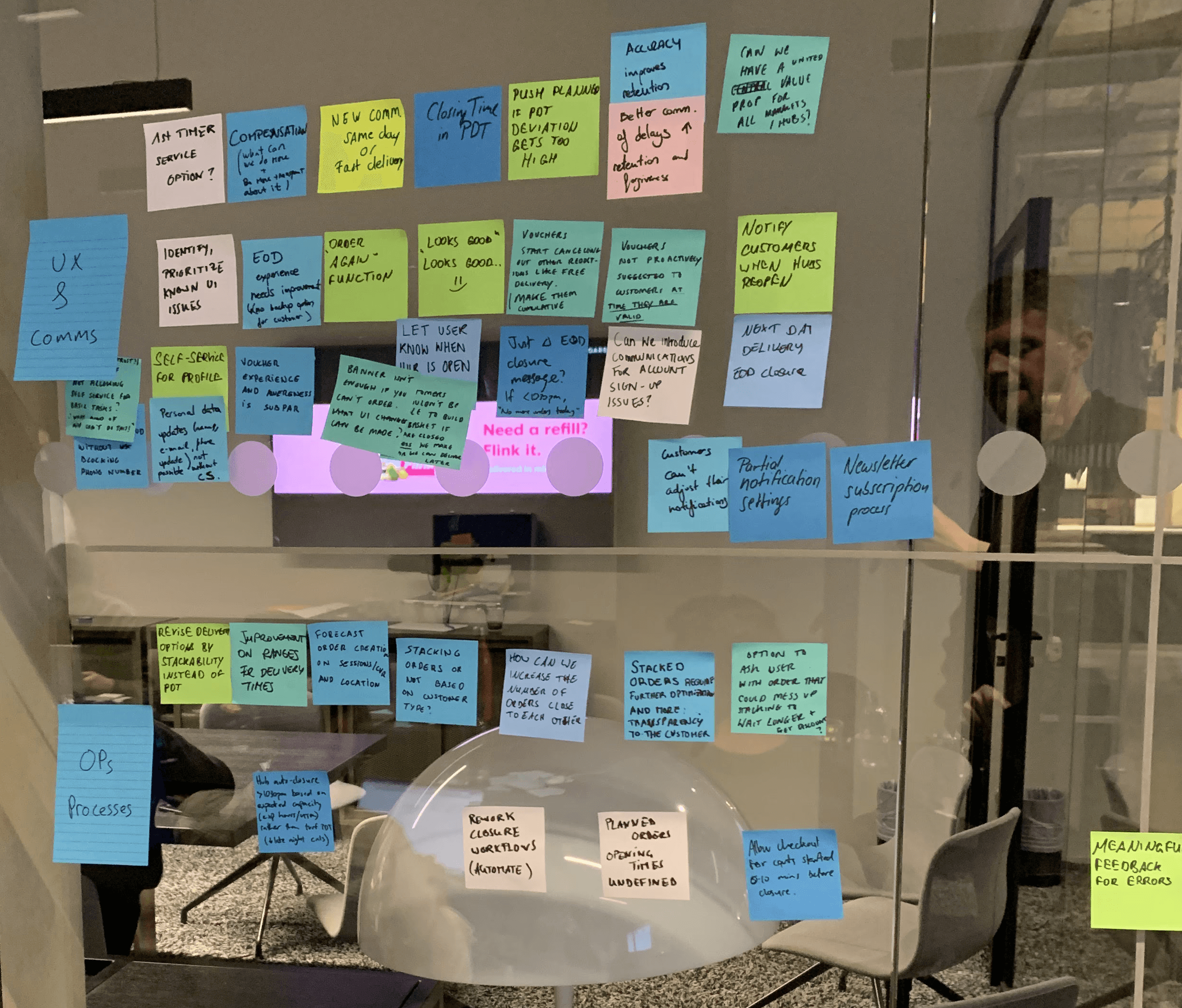
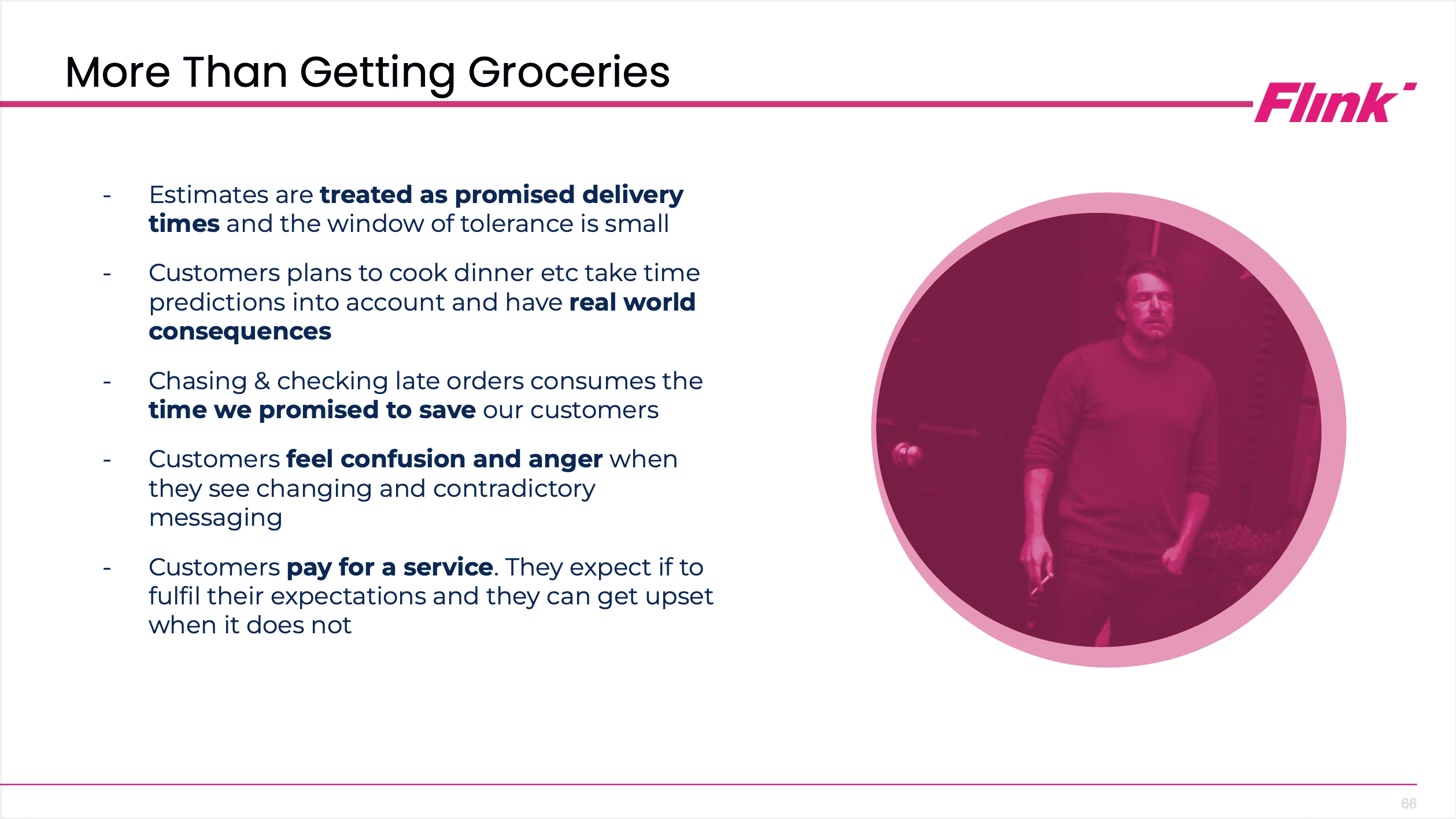
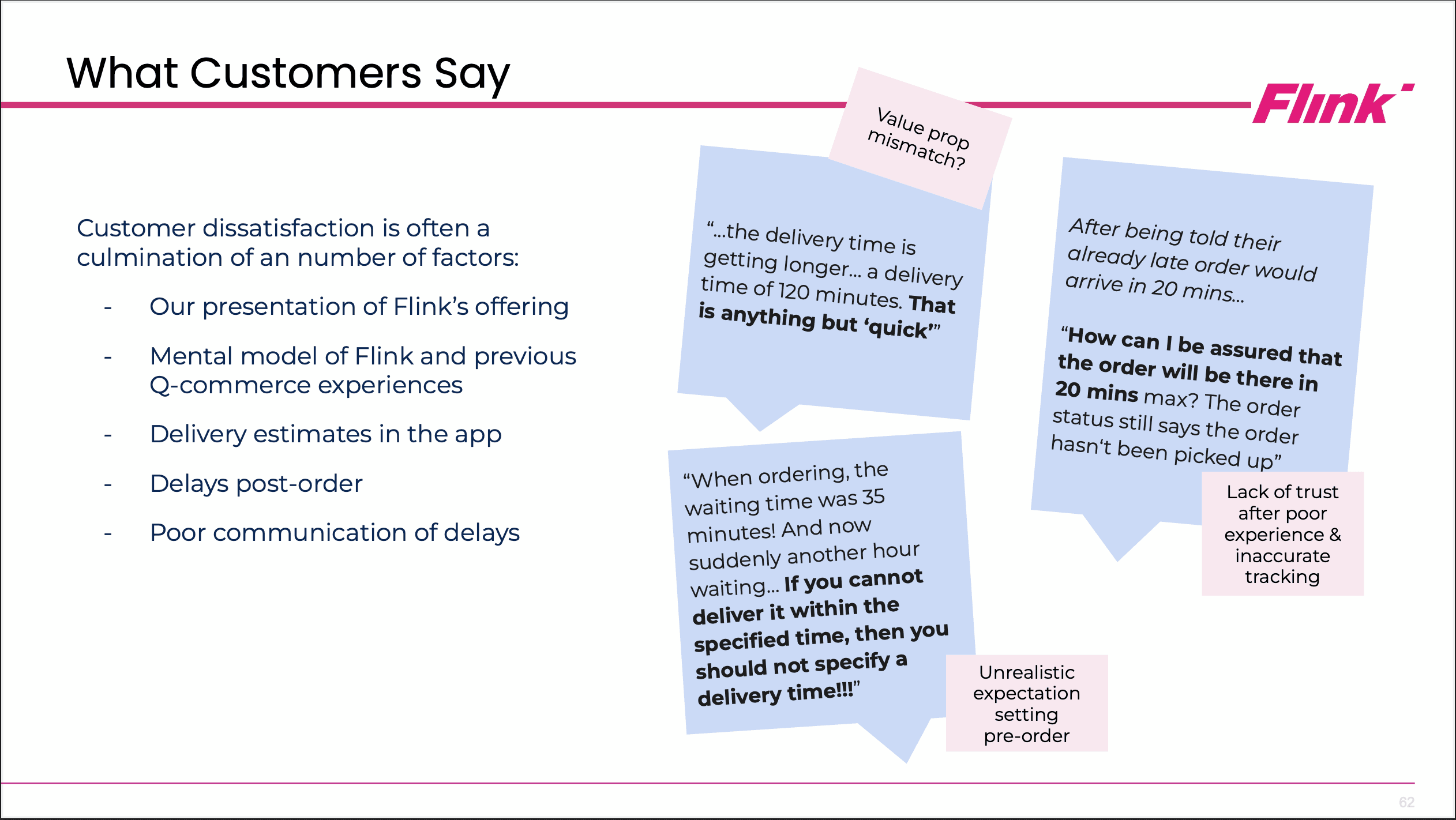
On day one, stakeholders from across the company shared what they’d learned about ordering and delivery, with a clear focus on how these moments affect reordering.
I put that together a view of the customer journey, using Flink data, customer feedback, and industry research to map how people actually think and behave as they move through an order.
On day two, I co-moderated the ideation and prioritisation sessions, eventually turning those insights into concrete bets that fed directly into the Ordering team’s 2025 roadmap.

Digging Deeper
The OKR workshops gave us direction, but not detail. To understand why tracking felt unreliable day to day we reviewed support tickets, analysed behaviour in Looker, and ran user tests focused on how people got back to an active order.
We examined three areas in detail:
Language — messaging that wasn't scanning well was rewritten and shipped as a quick win.
Progress display — we found flaws in both the map view and progress indicator. Real issues, but flagged for a future phase rather than rushed into V1.
Time and status communication — this is where the solution lived. Customers weren't struggling with the tracking itself. They were struggling to find it, and to maintain access to it once they had. The journey back to an active order was unclear, inconsistent, and often invisible.
Alongside these three threads, a number of smaller tweaks and speculative tests were running in parallel — useful signal for the backlog, but not the focus here.
P
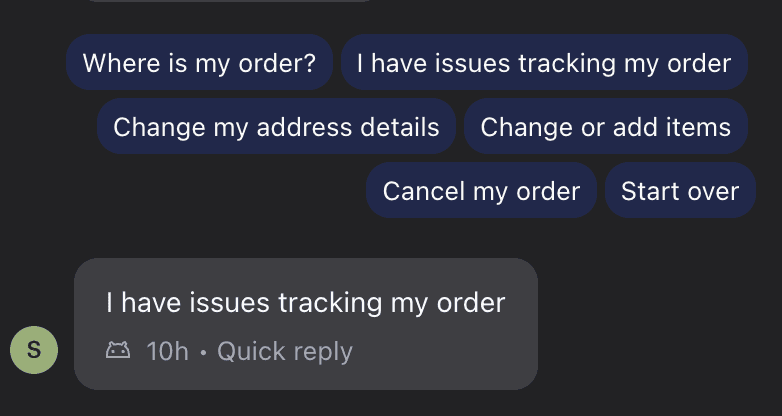
We saw consistent patterns across support contacts pointing to the fact that tracking orders was more of an issue than it should be. The tracking view itself could be improved but it wasn't a critical weak link. The pressing issue was locating the delivery info.
Mapping The Experience
Flow mapping confirmed three issues driving support contacts:
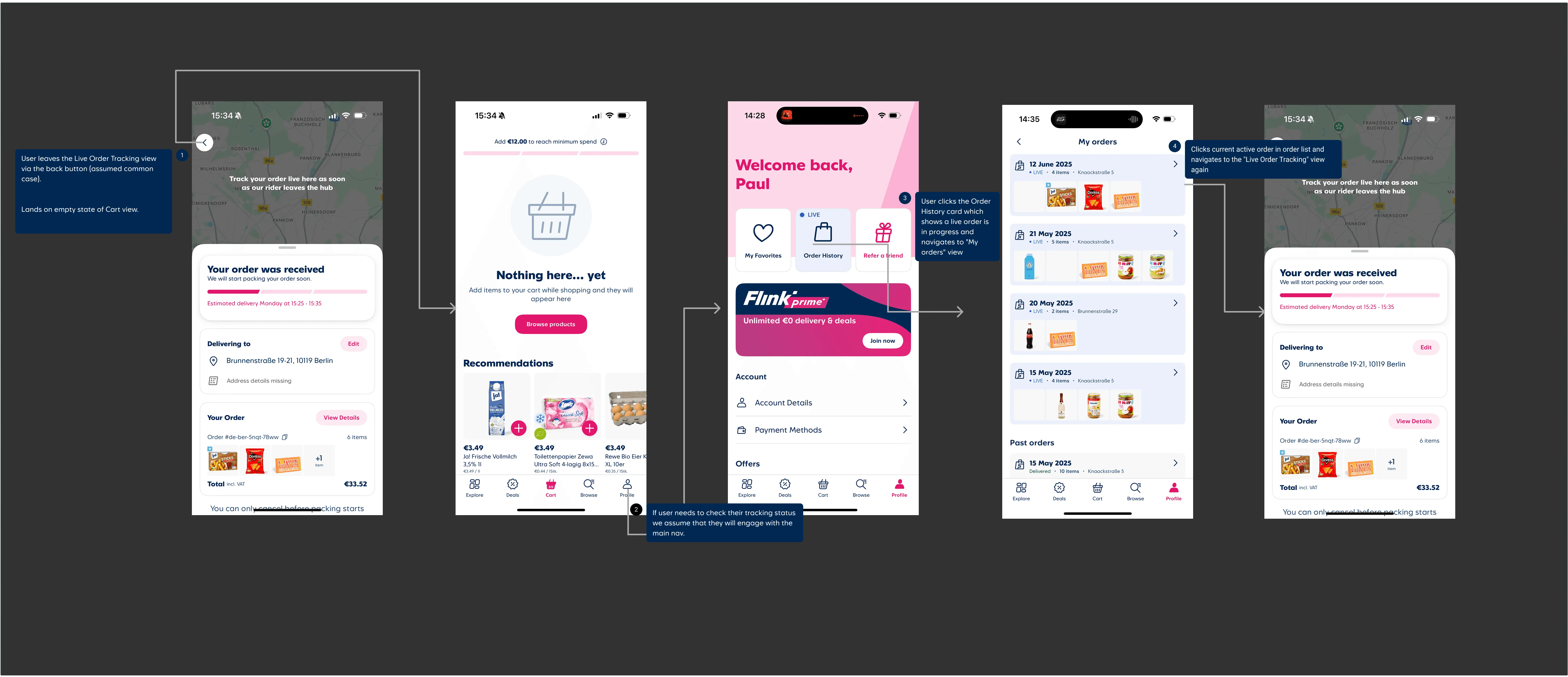
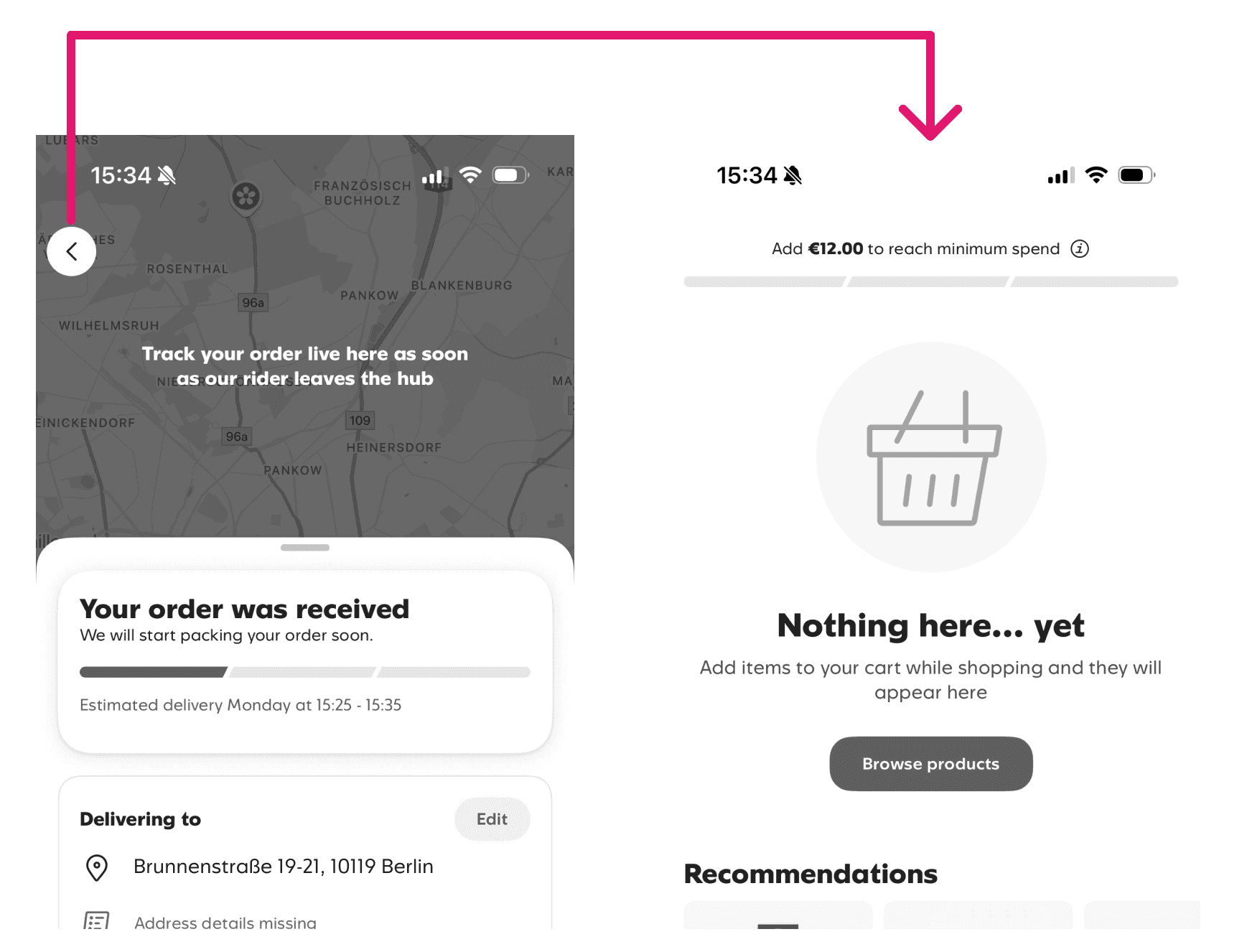
Back-button behaviour — users hit Back after checkout on autopilot, expecting the homepage. Tracking was the most useful next screen. They just didn't know it.
Tracking buried in Profile — once out of the tracking view, there was no clear way back. Critical delivery information sitting where nobody looked.
Inactive map before dispatch — nothing showed until the order left the hub. We suspected it caused drop-off but couldn't isolate it from other factors. Flagged for future investigation.
The first two were clear enough to act on. We also noted the jump from cart to confirmation felt abrupt — no order overview once placed. No solution in this phase, but noted for future work.
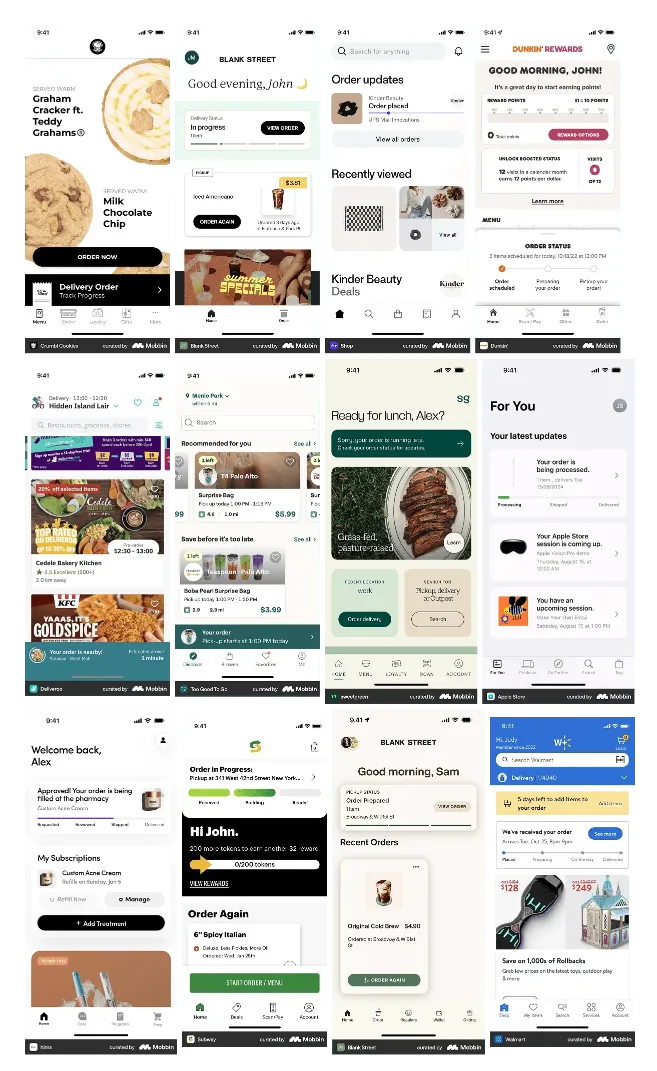
I looked beyond grocery delivery — parcels, rideshare, food, support tools. Anything built around the experience of waiting.
The focus wasn't visual inspiration. It was structural: how do you present live status when the data isn't perfect? How do you show progress without overloading? How do you keep tracking findable across an interrupted session?
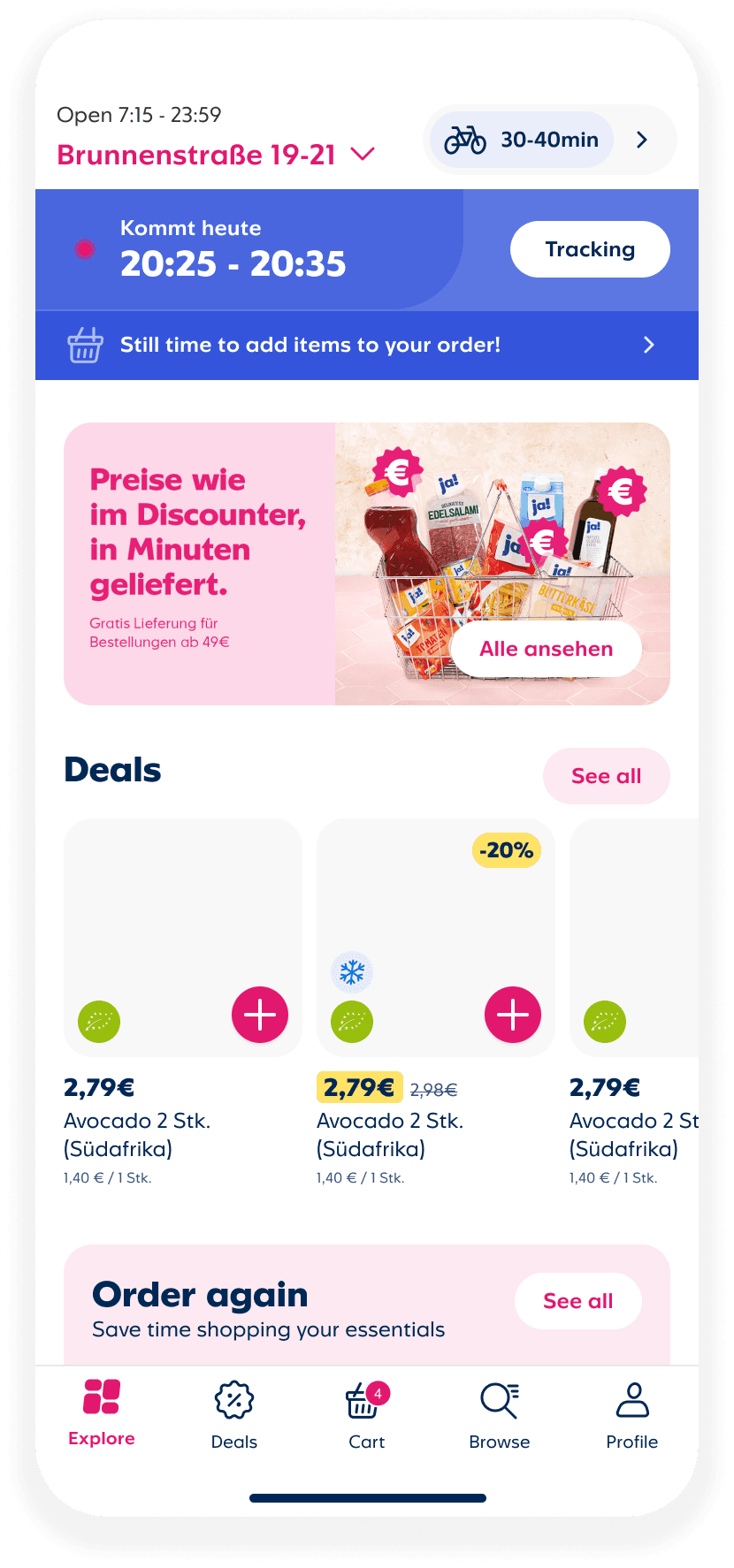
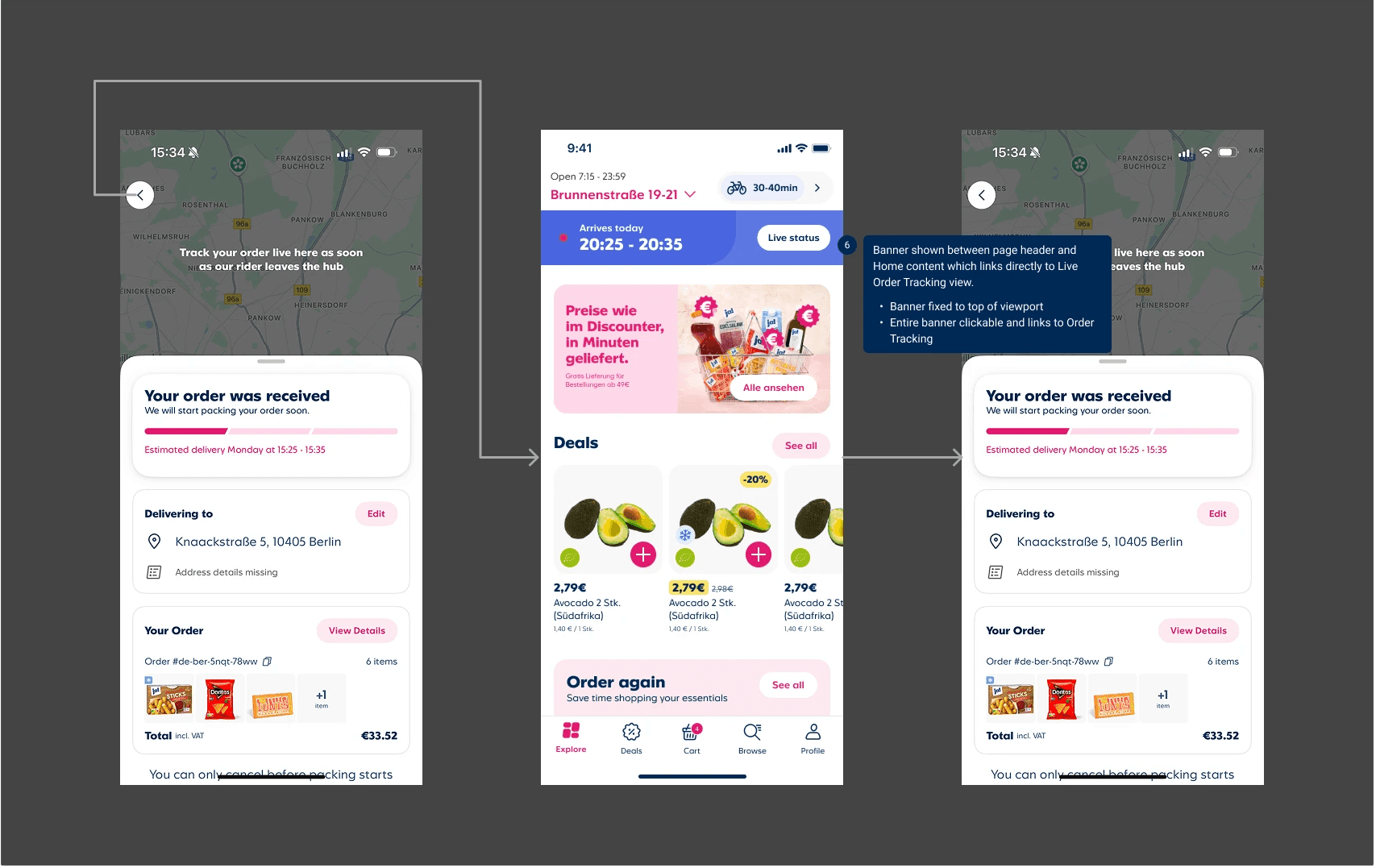
A few clear patterns emerged — top placement for visibility, direct links to a dedicated tracking view, minimal copy that didn't require interpretation. We carried those into our own setup.
Top placement for visibility
Link directly to dedicated tracking view
Crystallising The Issues
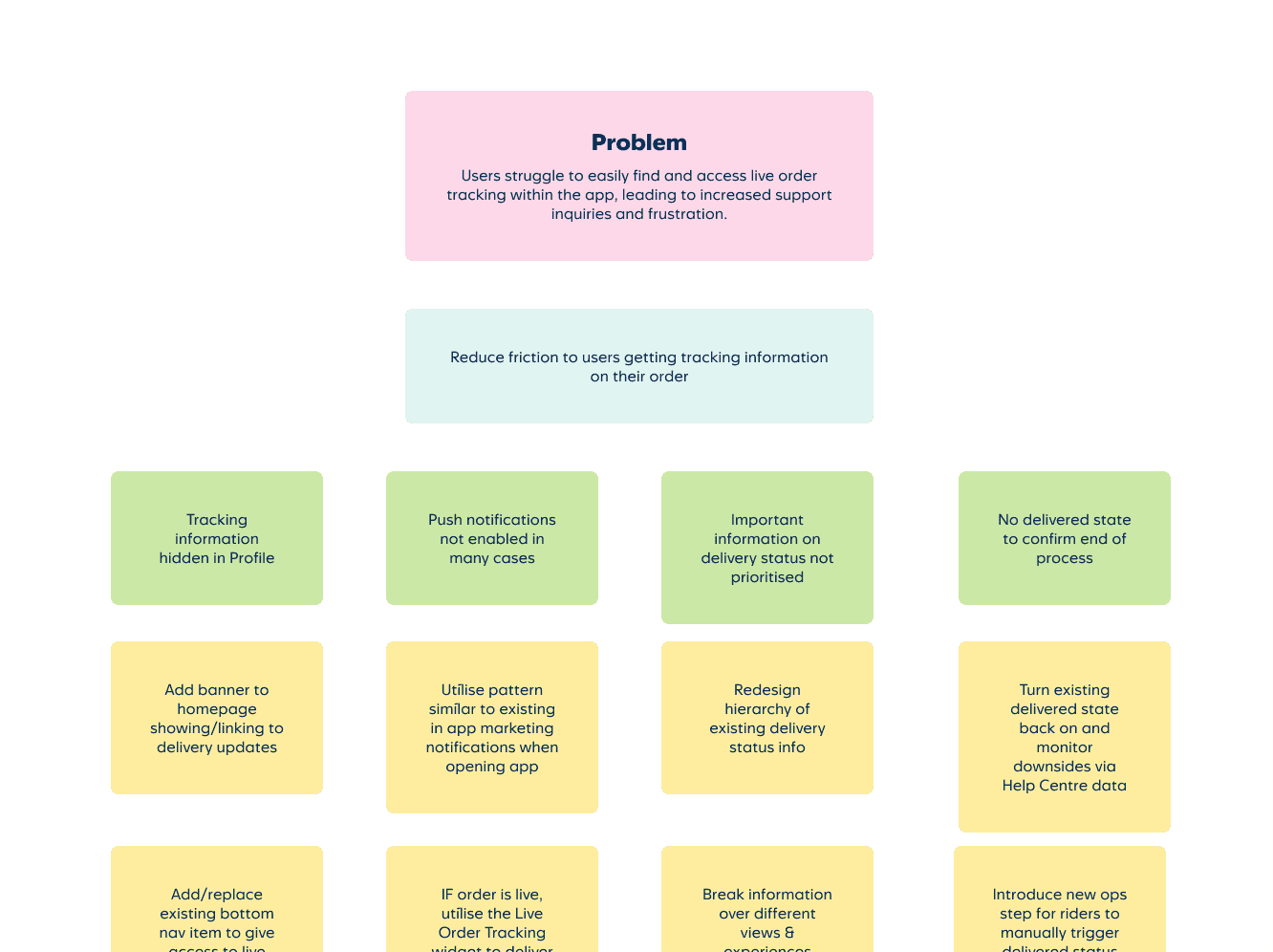
With the problem clearly defined I put together an Opportunity Solution Tree — first gathering ideas already on the table, then opening it up to the team.
It largely confirmed what we suspected, but it also surfaced things not everyone knew. Push notification options were more limited than some of the team assumed, which ruled out a few directions early and kept scope realistic.
The combined output informed our immediate solutions and seeded the backlog for future phases.
Our Focus
Check progress at a glance
Get back to tracking after leaving the screen
Know when delivery is likely — not just that it's on its way
Understand what actions are available at each stage
(Future) Add or edit items on a live order
Tracking was hidden in Profile — not where anyone looked
Session refreshes dropped users back on the homepage
Back-navigation led nowhere useful
Status language required effort to decode
No clear destination for post-order actions
Developing Ideas
With stakeholders aligned on the problem and engineers involved from the start, we could move into ideas with a shared sense of what was actually buildable.
Input From The Team
We ran a scoping workshop with engineers before any design work began — surfacing what was technically feasible and what wasn't within our timeframe.
Outcome: Ideas we hadn't considered surfaced, and scope was realistic from day one.
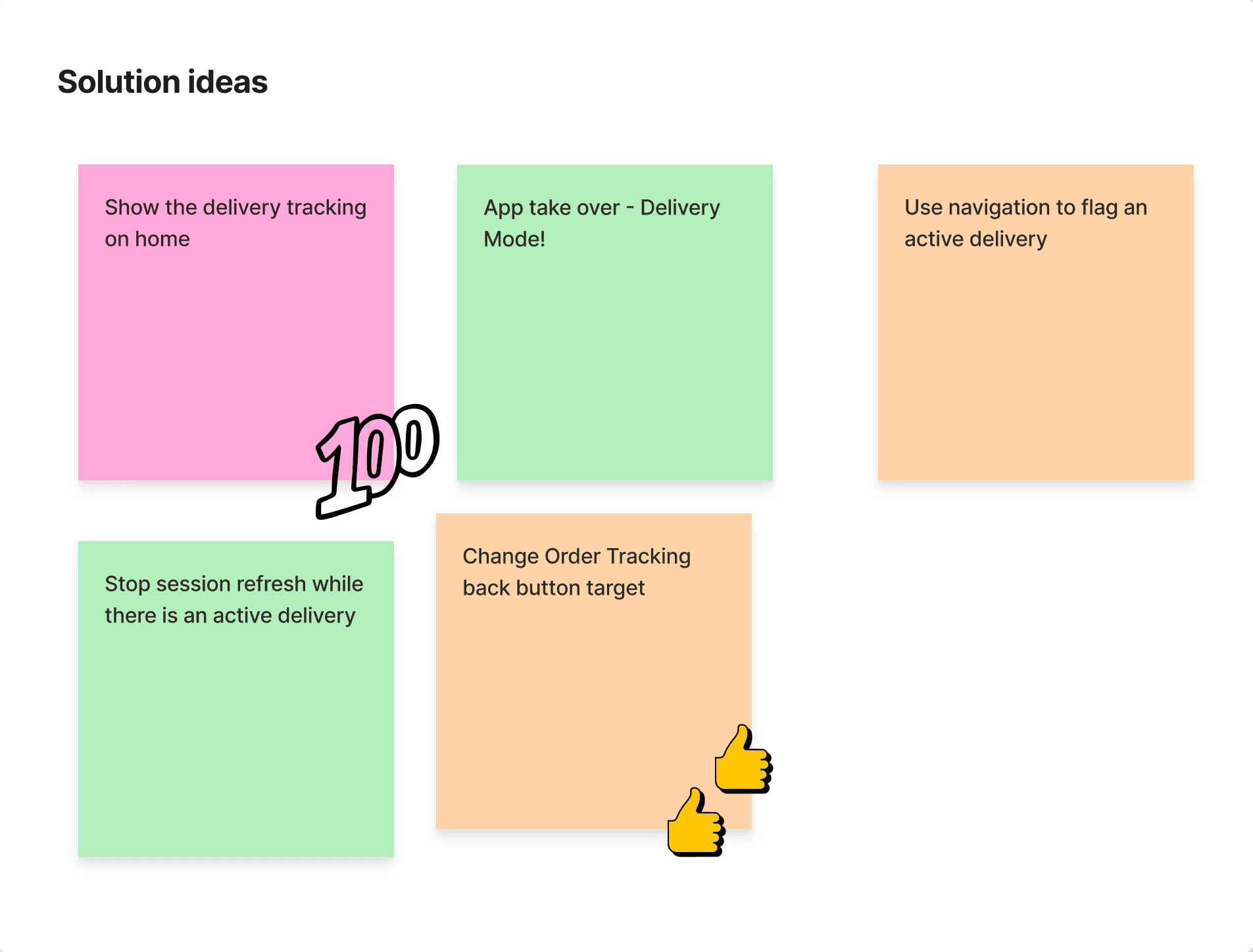
Fixing Flow Logic
We mapped the order navigation end-to-end and corrected the back-button behaviour and dead ends that were causing users to lose their place.
Outcome: A predictable interaction model that matched user expectations, not the technical implementation.
Mapping Potential Scenarios
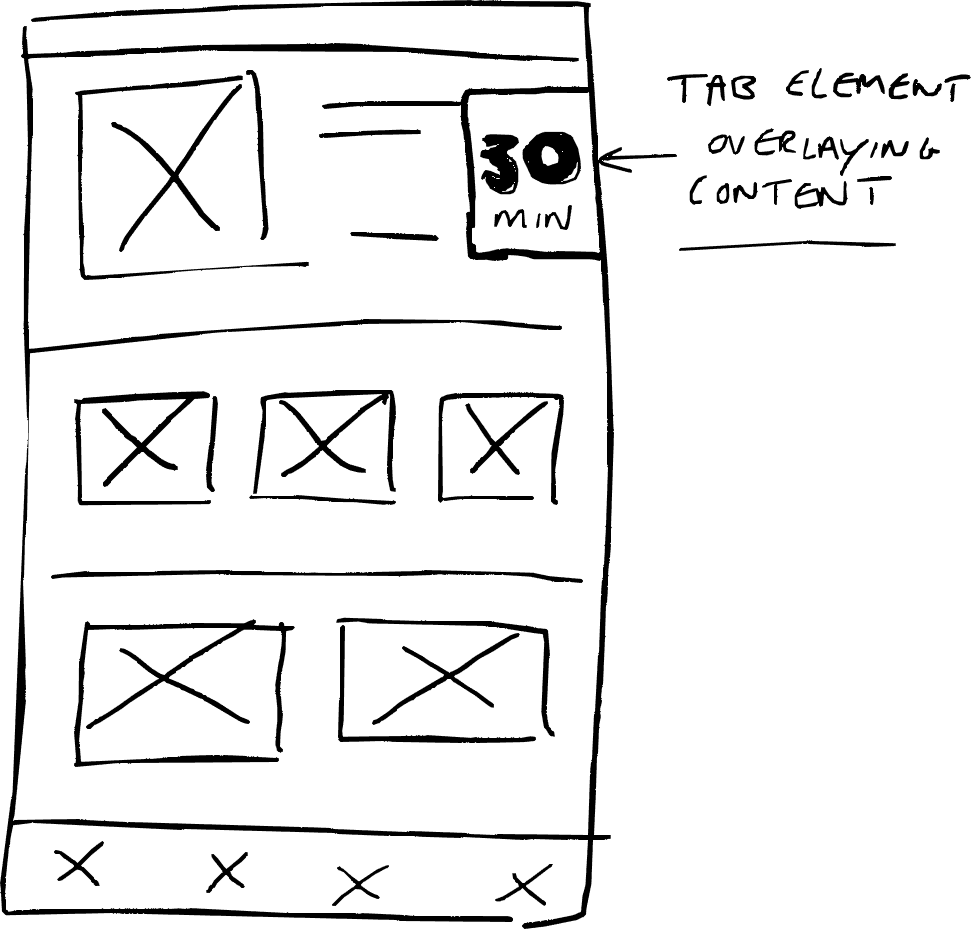
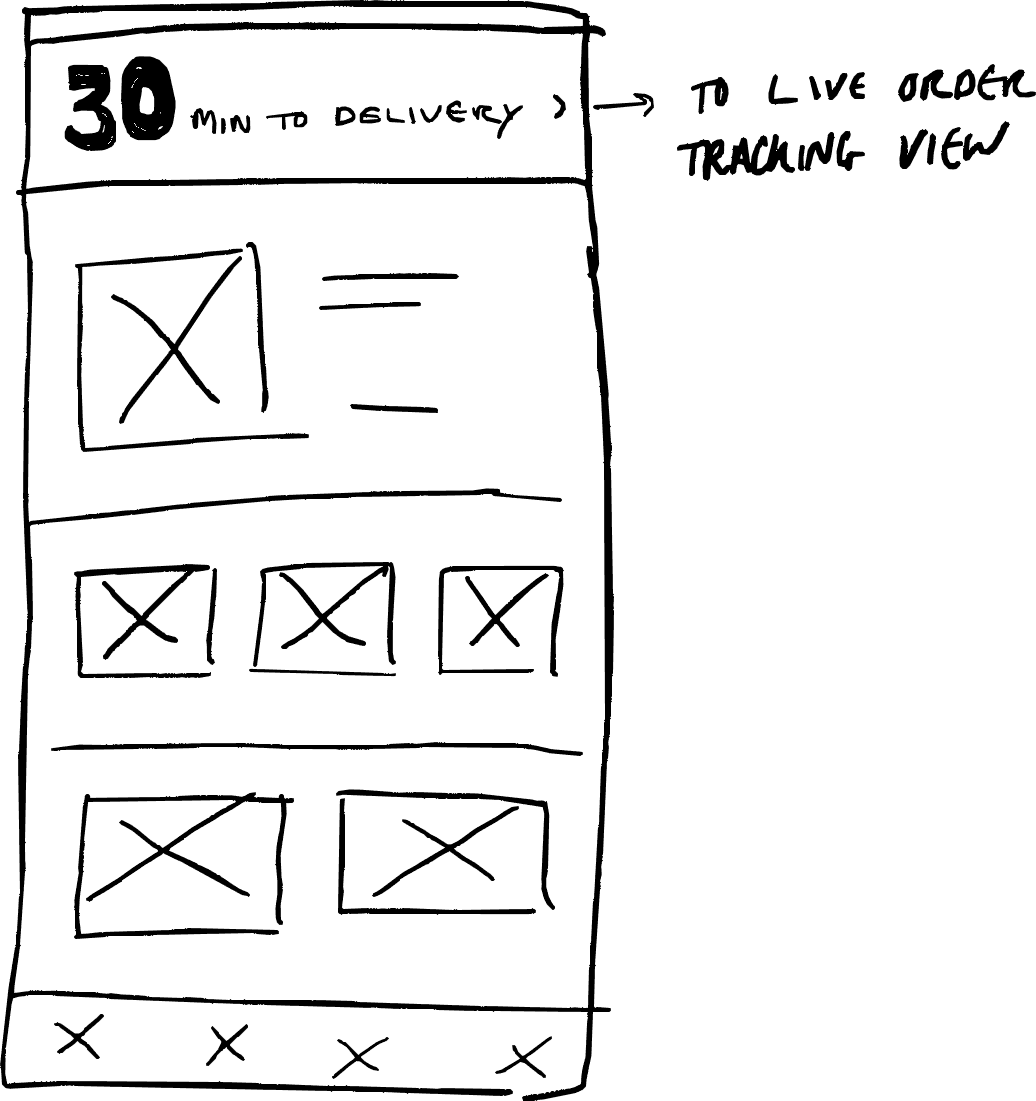
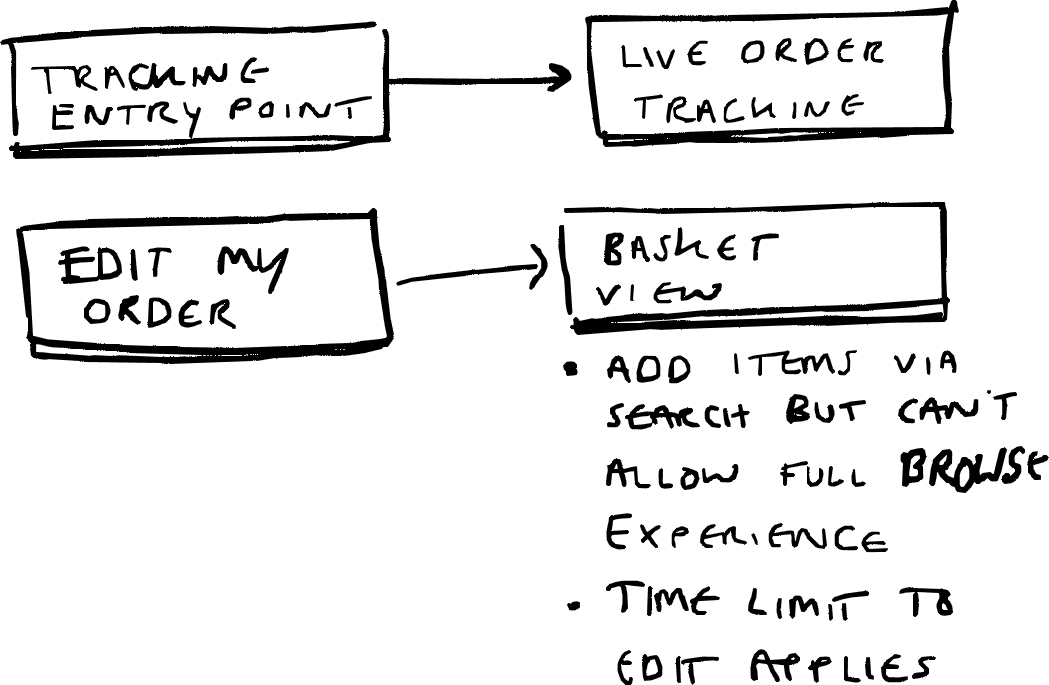
I wireframed all discussed UI and flow changes to identify and narrow down options before committing to anything.
Outcome: Clear boundaries for V1 — a delivery time element linking to Order Tracking, plus the ability to edit a live order.
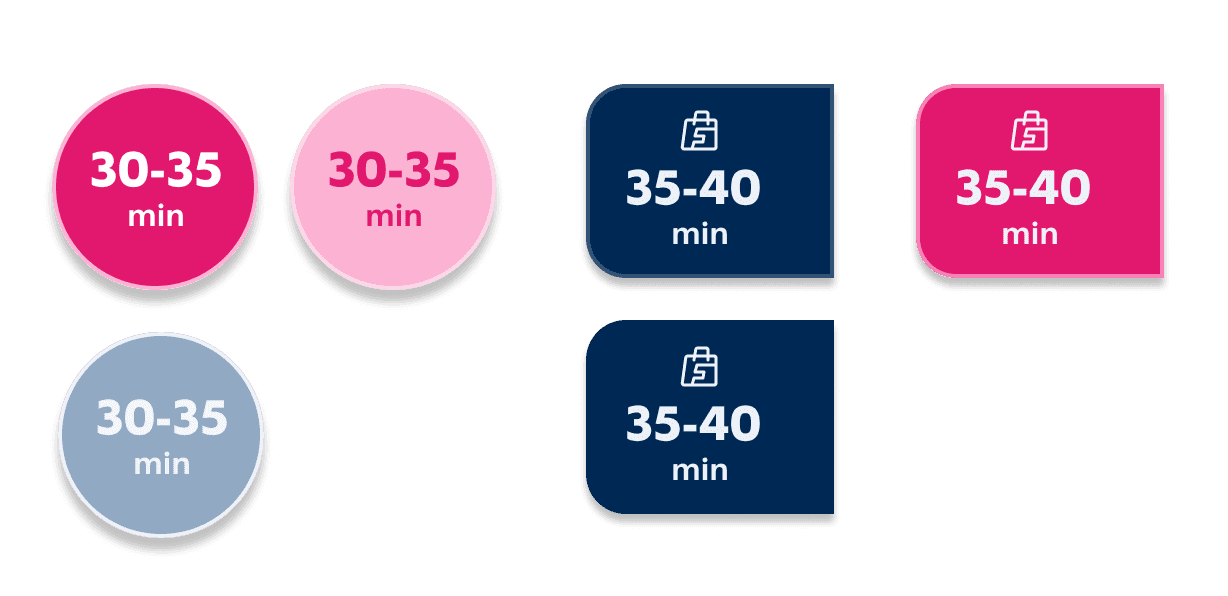
Access To Delivery Info
I explored models for surfacing delivery status and getting customers quickly back to Order Tracking — including a floating persistent element.
Outcome: Floating element dropped for V1 due to interaction risks. A simpler, lower-risk entry point taken forward.
With some exploration done we had a clearer plan for the final work that we'd take forward into production…
Principles & Approach
Results Snapshot
Clear Order Tracking & Editing
Entry Points
An early version used a floating element persistent across all views. It was dropped — too many conflicts with existing app elements and no clean way to resolve them within V1 scope. A simpler, fixed entry point delivered the same core job with less risk.
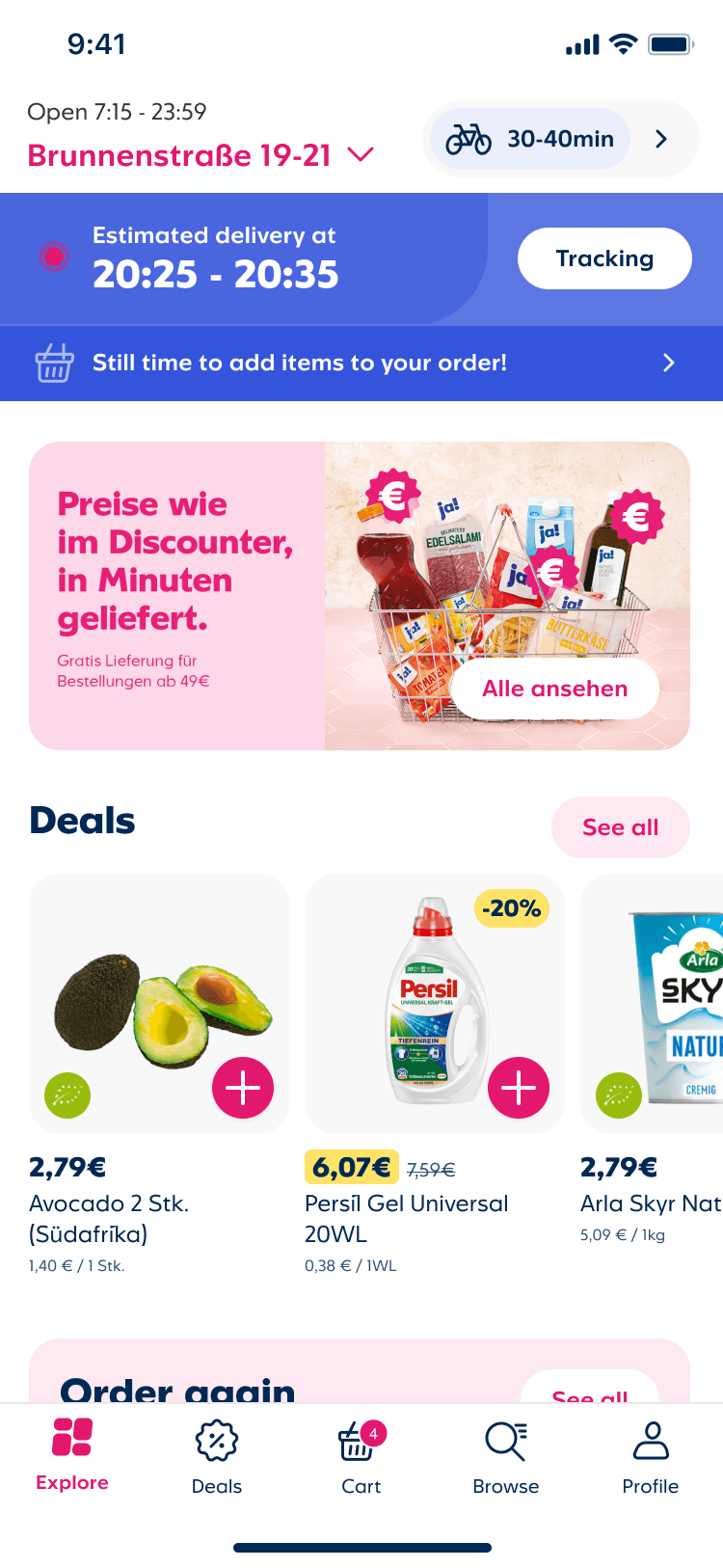
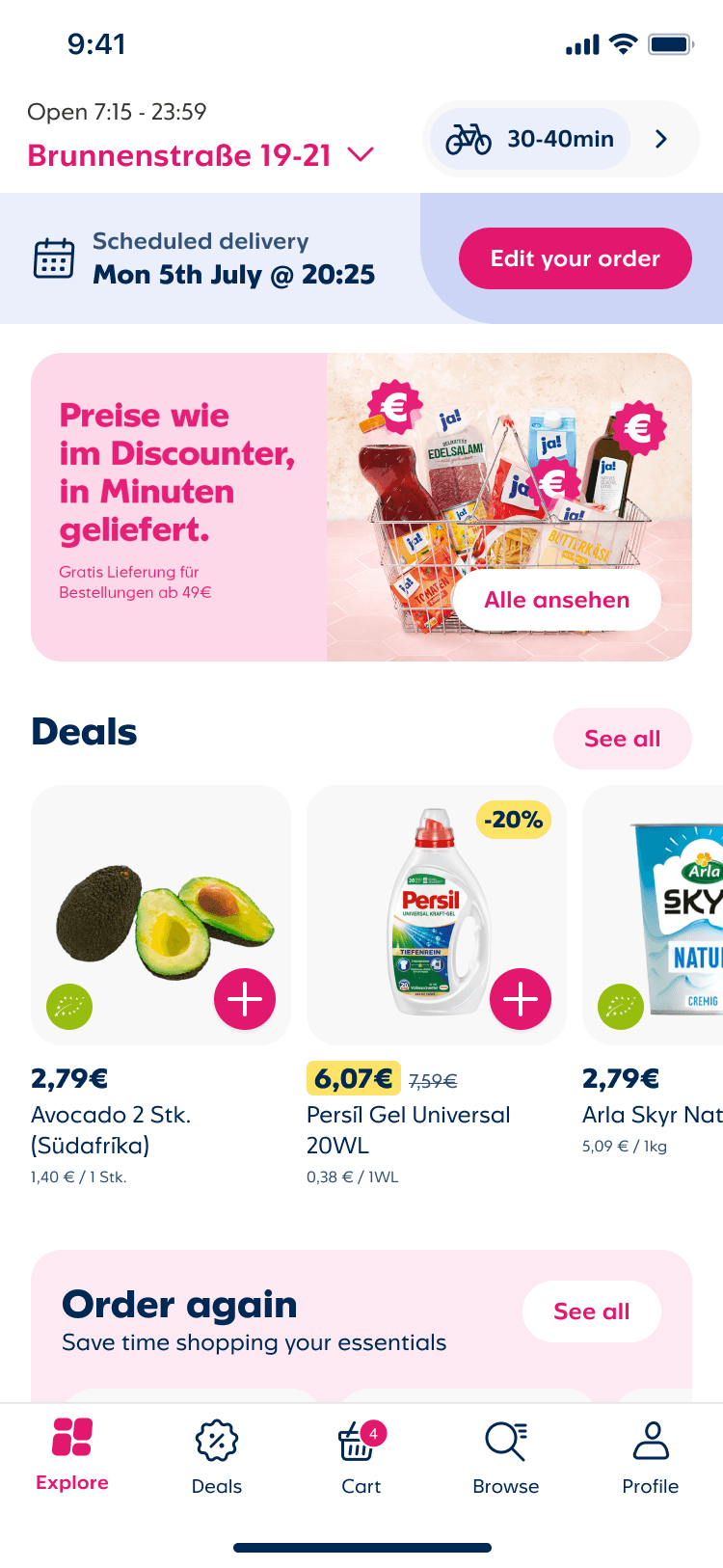



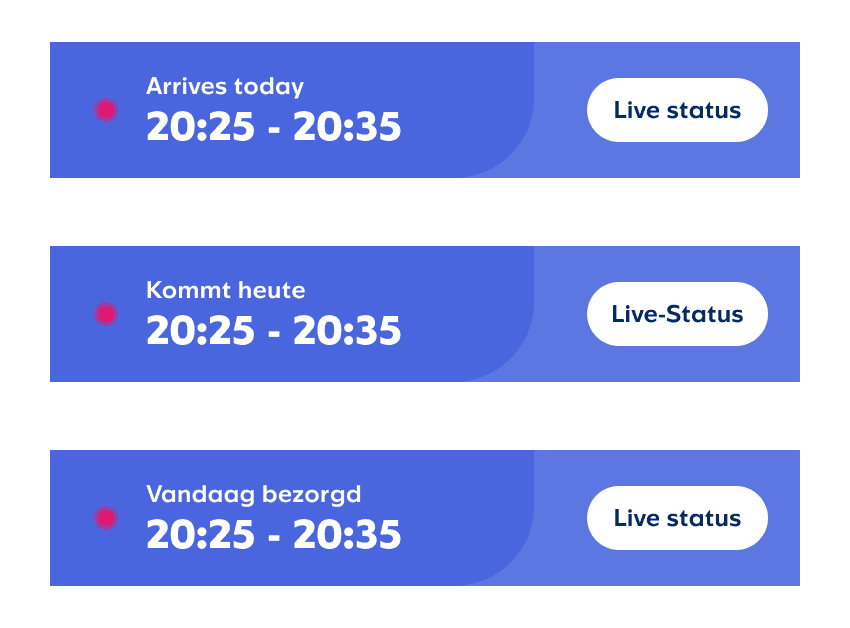
Modular Functions
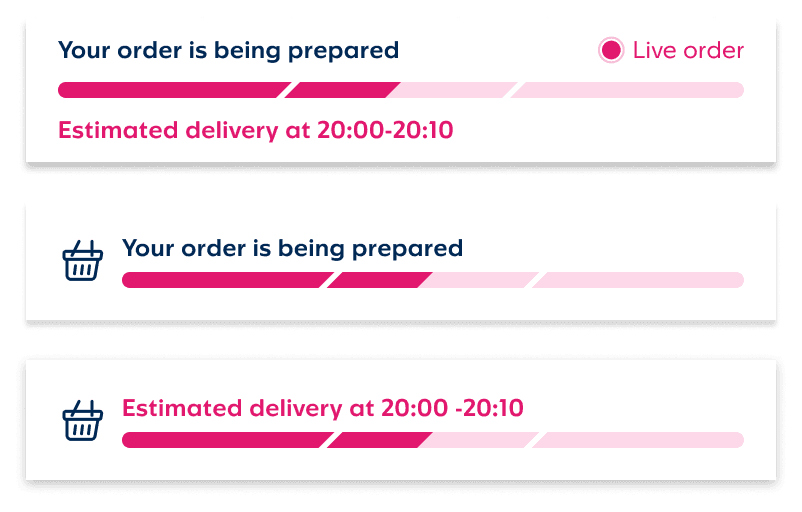
The entry point needed to cover three distinct order states without feeling like three different components. Active order, add items, and scheduled delivery each required different information hierarchy — and all of it had to work concisely in German, Dutch, and English, where phrasing runs longer than English equivalents.
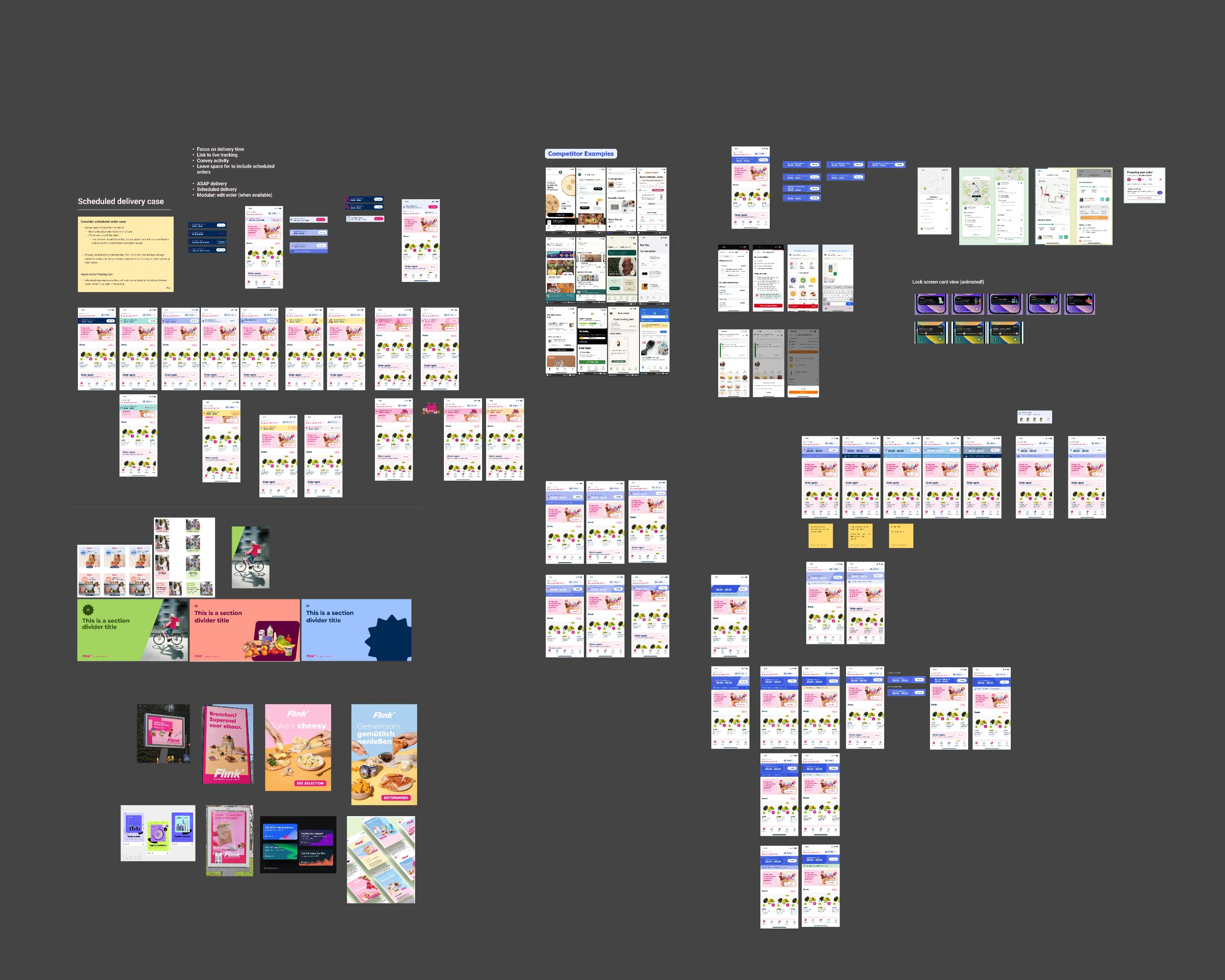
Alternative versions

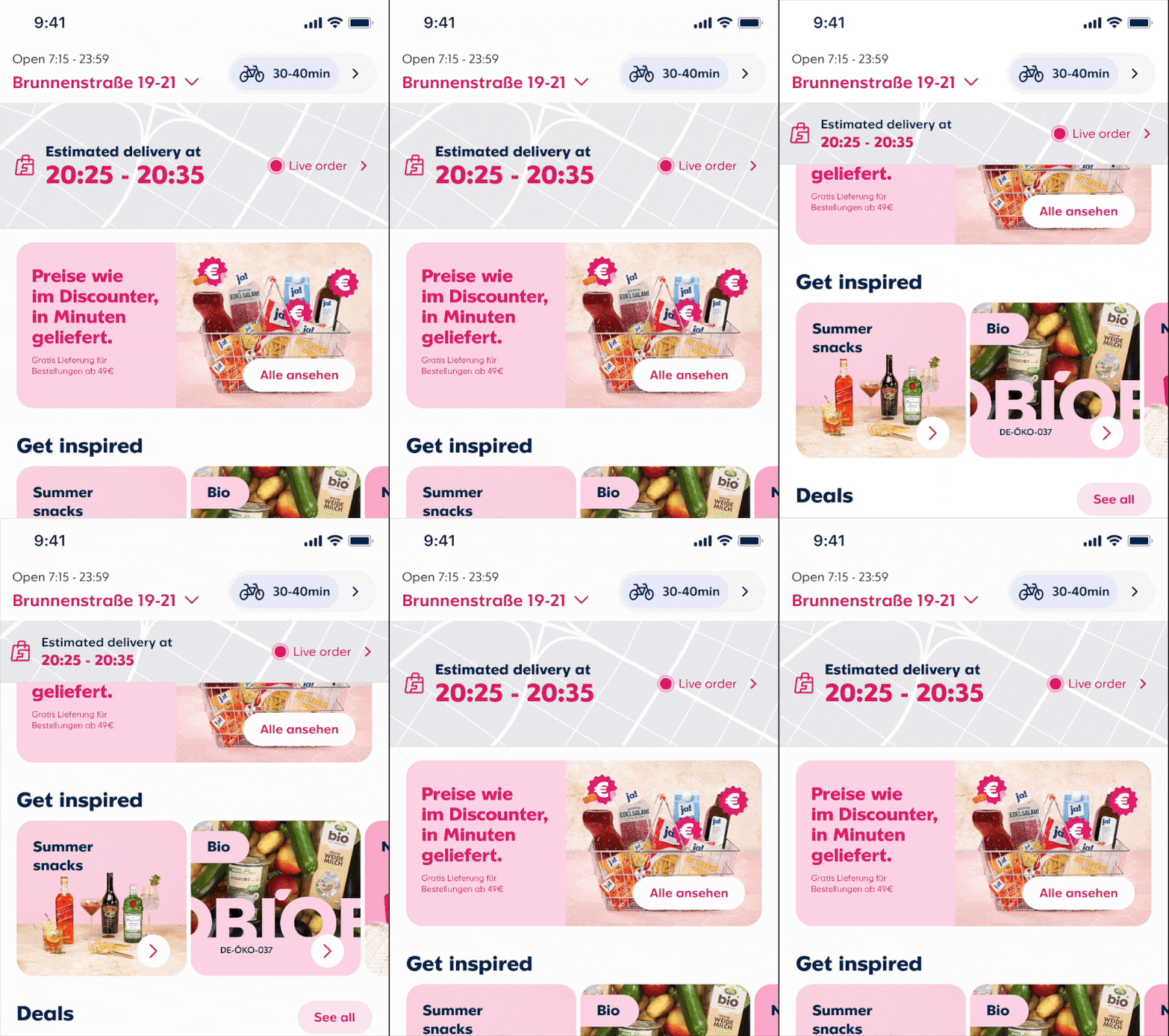
Dozens of visual iterations to find the right balance — prominent enough to be useful, restrained enough not to compete with the rest of the app.
Fixing Navigation Logic
Literal navigation that just reflected the technical setup of the app led to users ending landing in an empty cart view. So even with the new entry point banner customers got lost in the system.
5 steps down to 3
Matching the process to the logical path that incorporated a transition from pre-order to post-order experience.
V1: Add items to a live order flow
Delayed payment capture was a technical and operational initiative, primarily aimed at reducing refund costs — but it also opened up new product possibilities.
A good early candidate was letting customers add items to an order before it was packed. Forgetting something was a common cancellation reason, so this reduced drop-off while also increasing basket value.
Customers tap Add items → a lightweight shopping view opens → selected items confirmed via a streamlined checkout, using delayed payment capture to attach them to the existing order.
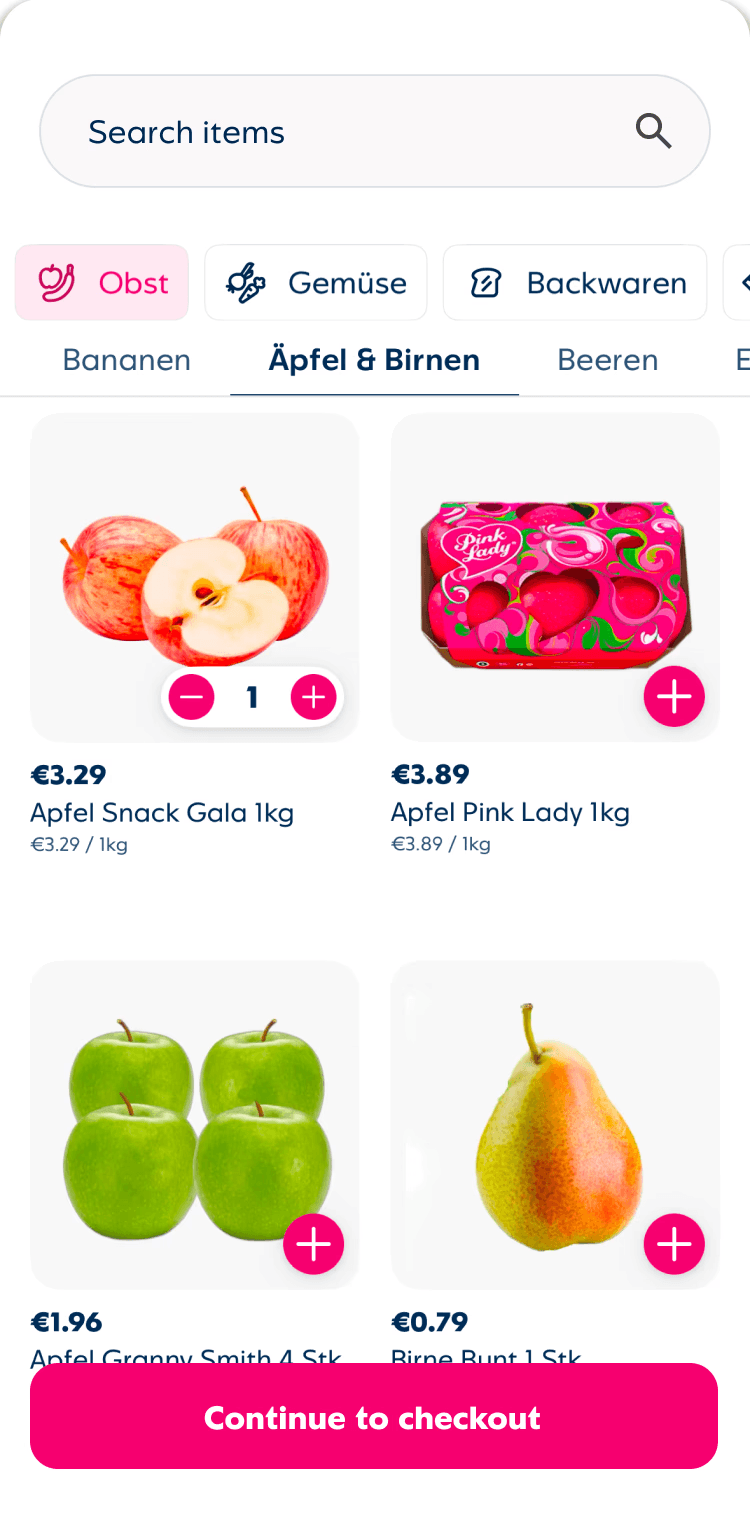
Adding items to a live order had a real risk: drop someone into the standard shopping experience and it feels like placing a new order.
We had an 8–10 minute window to work with, so the design had to be light-touch and unambiguous.
V1 landed on a card view — essentially a stripped-back shopping experience that surfaced the essentials and cut everything else. No marketing, no browsing, no confusion about what you were doing.
Navigation - followed platform convention. Fighting Android's back stack causes real problems; we fixed the routing, not the gesture.
Sheets and depth -stayed native. How cards layer and dismiss is how users understand where they are in a flow.
Transitions - native defaults. No custom motion that needed explaining across two platforms.
Success states - unified. Snackbars and banners split by platform added noise. One consistent pattern across both.
Outcomes
~23% fewer support contacts
for tracking issues
Same order types pre/post — tickets tagged “Where is my order?” + tracking access
~7 mins faster handling
per tracking support ticket
Customers arrived with clearer context, so less clarification / back-and-forth
↑ ~15% CSAT uplift
for users who used tracking
Compared to baseline CSAT for orders with no tracking interaction (same period)
Measured over 2025 via support ticket analysis and CSAT baseline comparison.