Klara - Inbox Efficiency

Project Overview

Finding ways to increase workflow efficiencies for larger Klara customers, who experience high volumes of messages at their practices but are rarely able to increase their staff-to-message ratios in order to deal with them adequately.

  • Research what high message volume for large practices look like, the issues it causes, and how customers currently handle them
  • Ideate around what functionality we can add or improve upon which enable staff to process more patient messages without needing to staff up
  • Produce a roadmap to gradually introduce improvements through validated pilots of MVPs

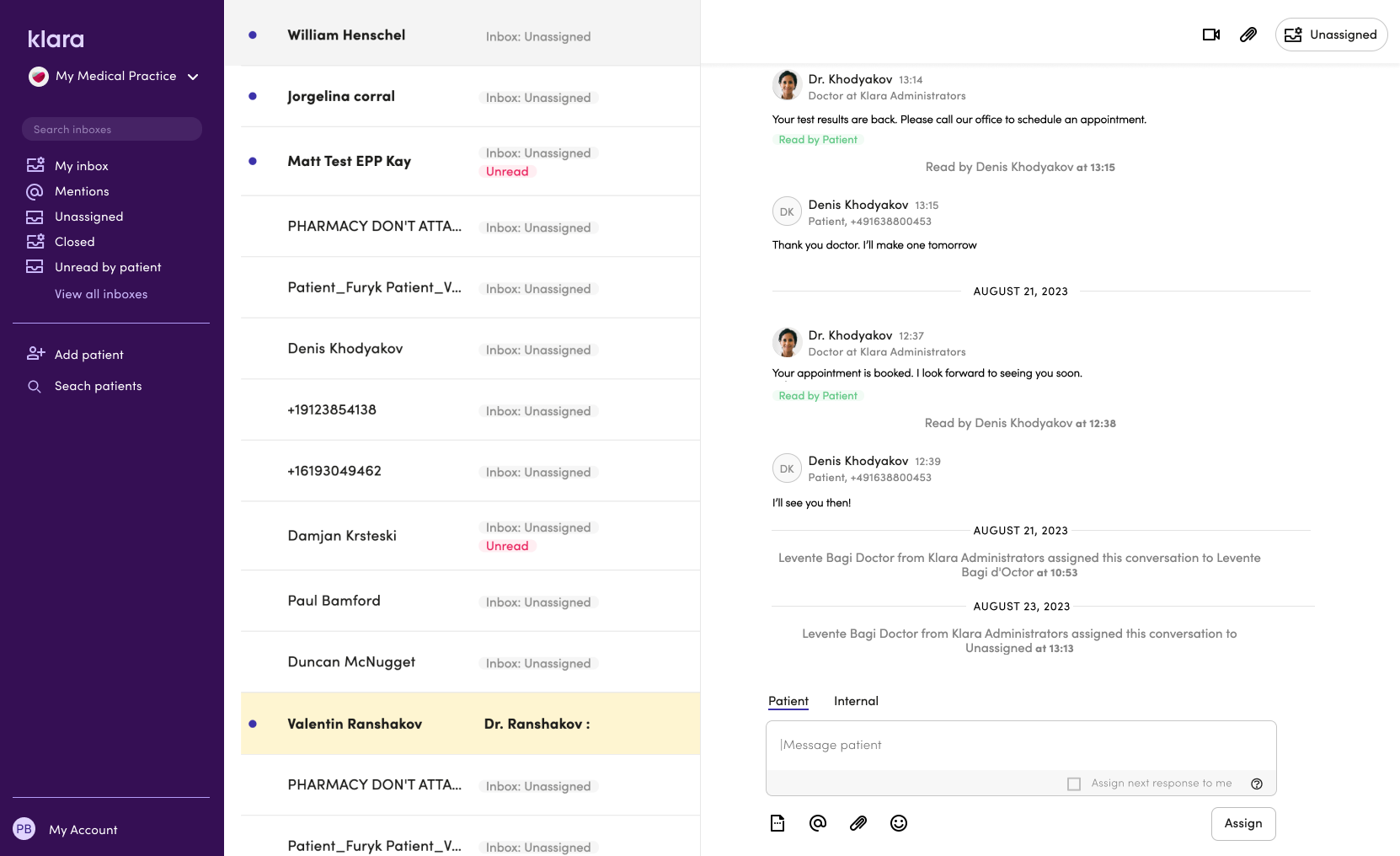
Klara's existing workflow

  • A conversation is initiated by a patient using the Klara mobile app or web chat client on a practice's website. The patient selects a Reason for reaching out from a list and a tag with this selection is added to the message.
  • By default, patient messages come into the main inbox named Unassigned. This is the large central bucket where front-desk staff would spend the majority of their time.
  • The front-desk move the message manually to the correct healthcare professional and they respond to the patient.

Research & definition phase

  • Review customer support conversations in Intercom, interview relevant Klara Customer Success team members, dig into data in Looker to gain insights and define our audience
  • Form our problem statements and hypotheses
  • Ideate with the team to gather possible solutions
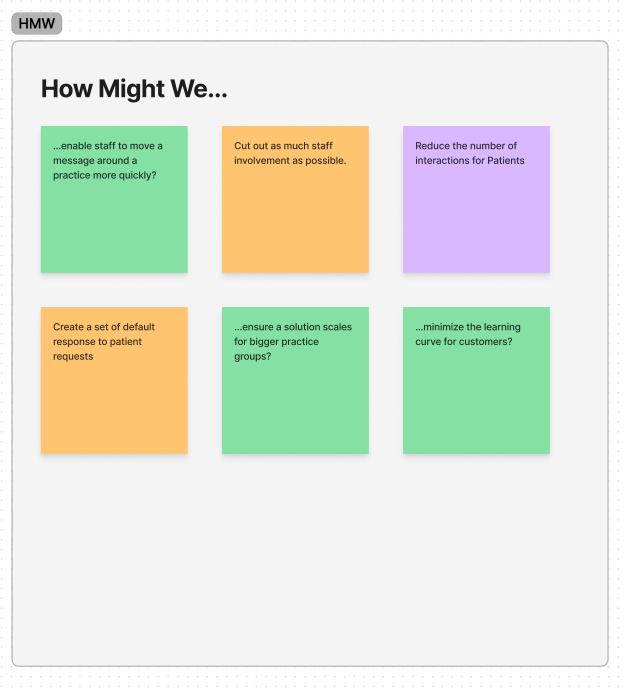
  • Example of the "How Might We" exercise I ran with the team to narrow down the larger problem statement into pieces we could ideate on in a focussed way.
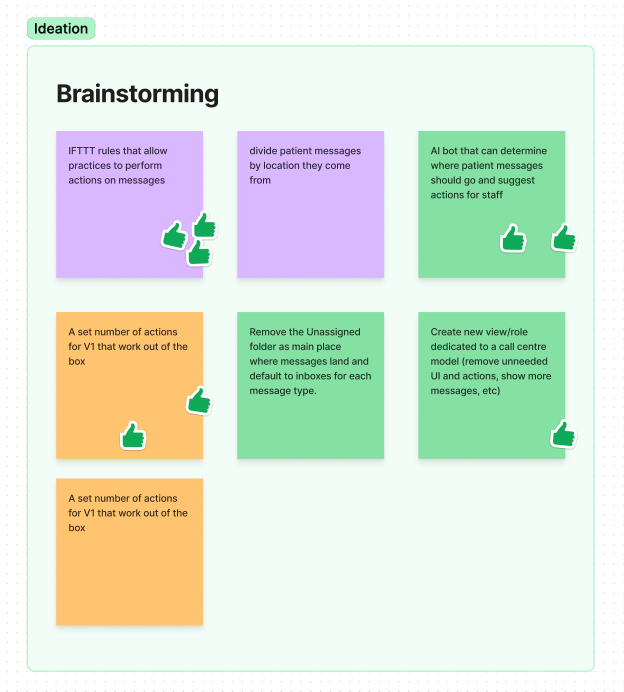
  • The team then ideated on our How Might We statements to come up with possible solutions.
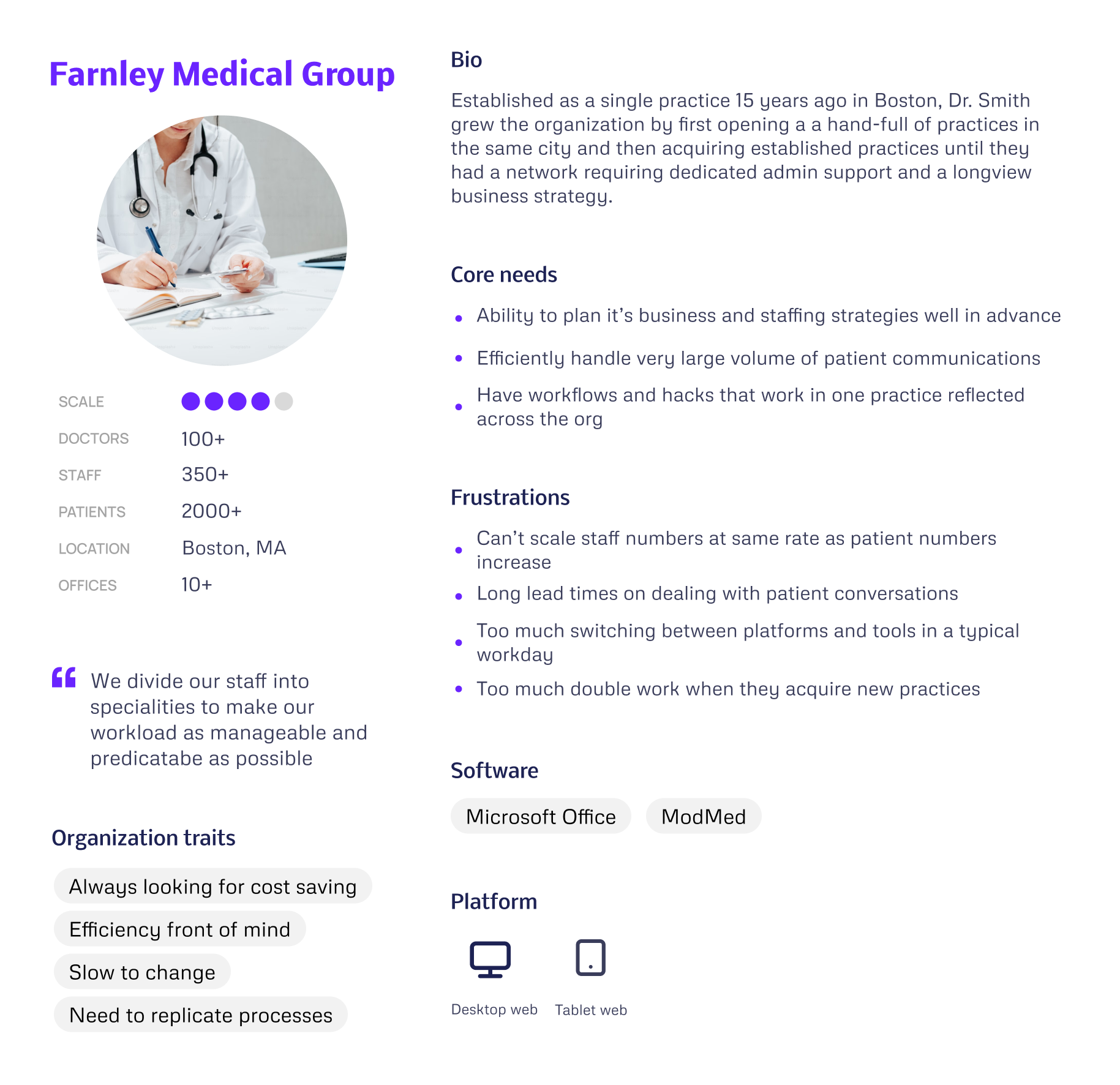
  • From our research on defining what a large organisation actually meant we produced what I called a "Practice Persona" which aims to capture the chacteristics of our target customer in addition to traditional user persona's.
Hypothesis example

We believe that giving practices the ability to apply automatically move patient messages from the Unassigned inbox to inboxes of their choosing will reduce front-desk staff workload, make the process of answering patient messages more efficient, and allow practices to increase the number of patient messages the deal with without increasing front-desk staff.


Design Exploration

Once I had the team's input and we'd agreed the problem statements and hypotheses, I took everything and began working on possible design directions which we regularly presented back to the team for feedback and discussion on feasibility.

We also put together some proof of concept designs which combined our two primary views onto one screen in much the same way as an email inbox or Slack. This was shared with our target customers for feedback but was deemed too much work from an engineering standpoint for that year. But it shared the principles we enacted in our chosen approach of increasing visibility and access to key functions while trying to cutout needless navigation.
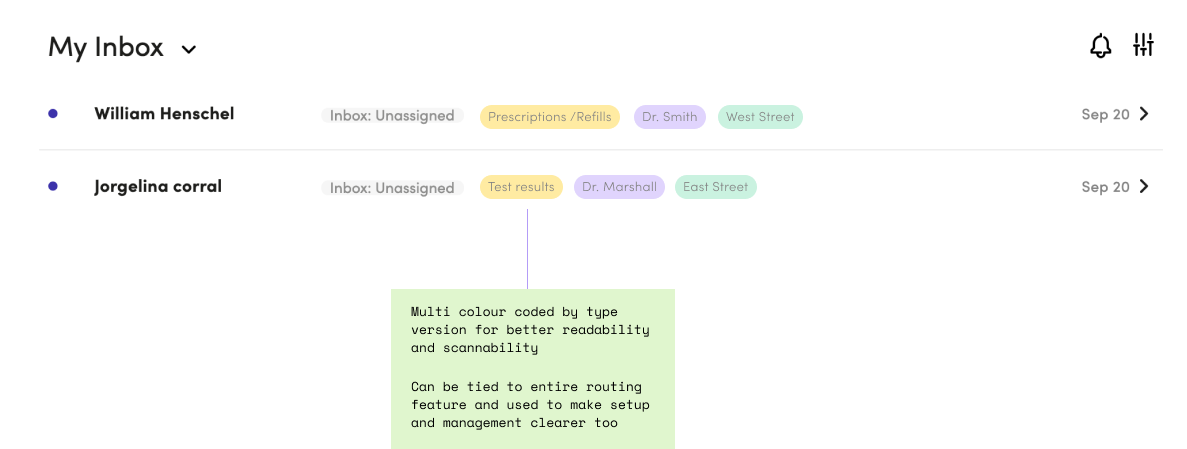
An early idea as to add colour coded pills to all patient messages but we soon found this became visually chaotic and a distraction in practice.

The Solutions

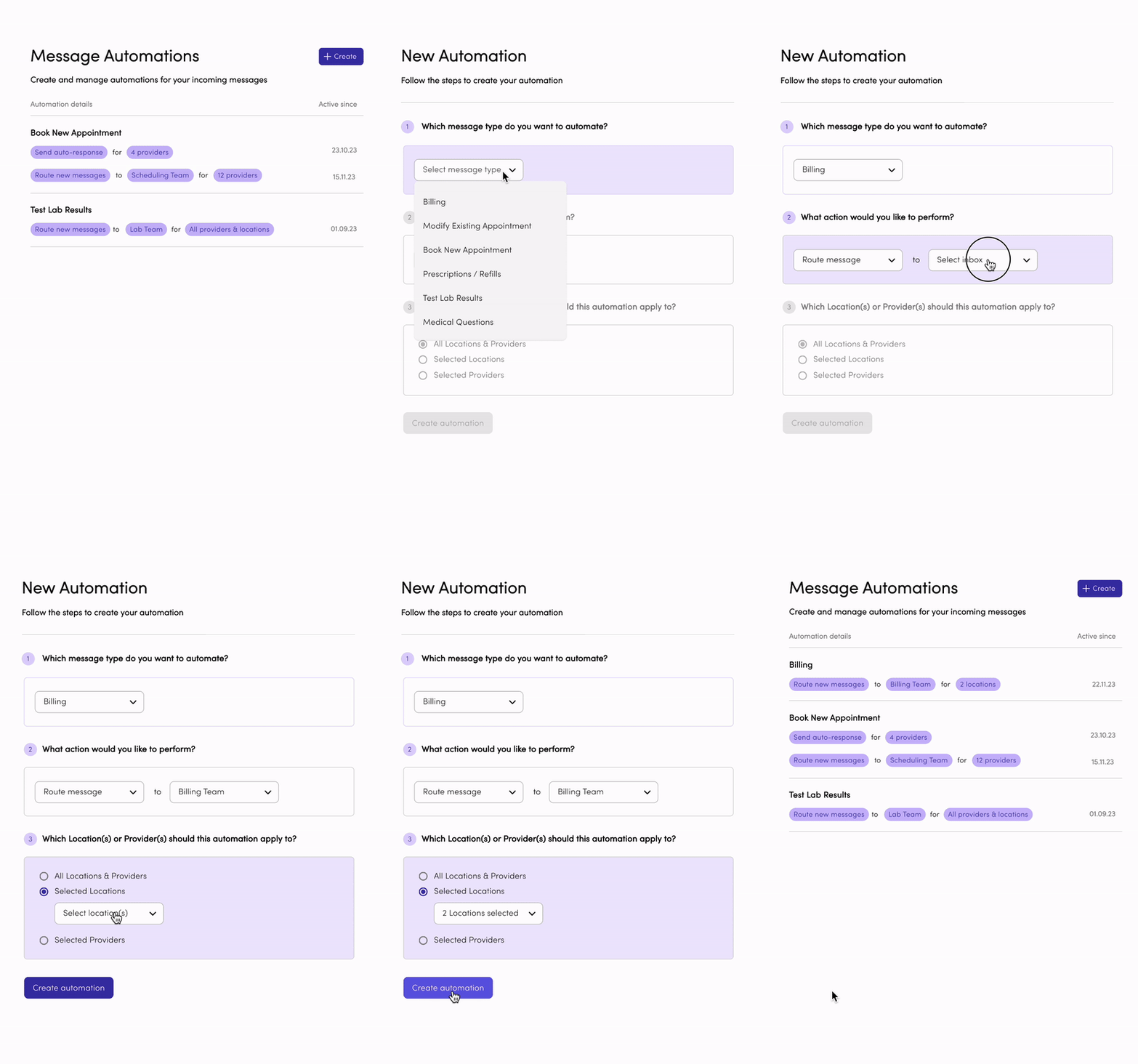
Automated Message Actions

We took the concept of rules builders that our customers were likely to have used in other apps, either in their professional of personal lives. The aim was to present an uncomplicated UI and text with clear indications of progress, next actions needed, and the outcome of the process.

Inbox Enhancements

Designed as first steps which ultimately transform the inbox view into more than just an entry point to access patient conversations and allow tasks to be carried out with minimal navigation.

Added numbered counters to conversations with more than one new patient message in order to give staff a better idea of a conversation's content
Surfaced interactions and indicators based on the type of message, for example for voicemails we show the play button right in the inbox and allow staff to listen there without loading the conversation
Enabled previews of the last message in a conversation to allow a brief overview of the latest interaction
Added hover states on conversations in the inbox which surfaced the Assign or Close message functionality previously only available in the conversation view, again, potentially saving a click
  • 8 minutes saved on average per conversation when messages were auto-assigned to an inbox using our automation logic
  • 13.4% reduction in number of patient conversations landing in the Unassigned inbox and requiring triage by a staff member
  • 4% reduction in probability a conversation will be reopened and revisited before being concluded
- Measurements taken between 1st of January and May 2024